

Agent Reports
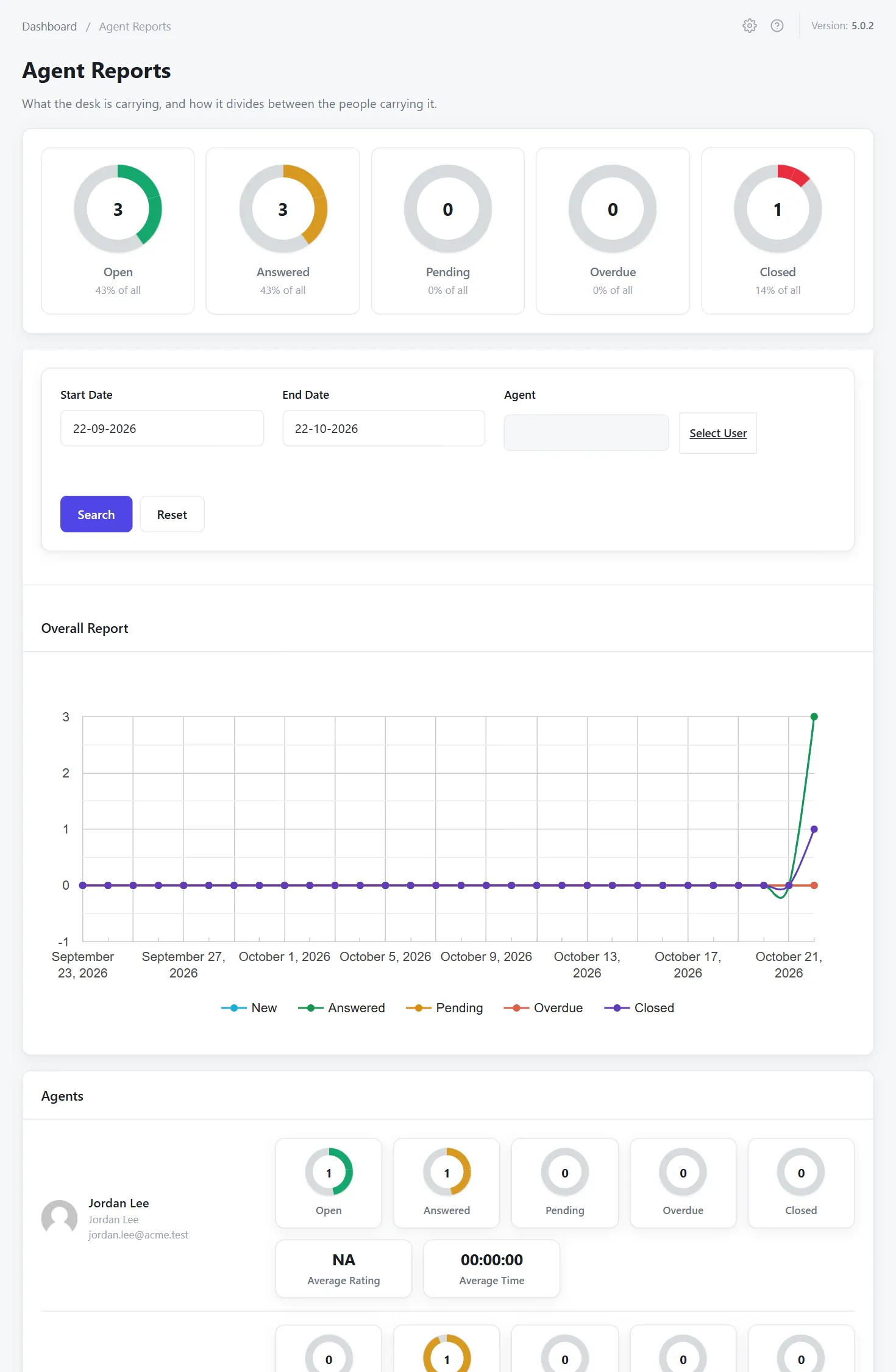
Reports → Reports → Agent Reports shows what the desk is carrying, and how it divides between the people carrying it. It needs the Agents & Teams pack. Agents need the View Agent Reports permission to read agent reports.
Choosing the period
Section titled “Choosing the period”Set Start Date and End Date, and optionally an Agent (click Select User to choose one), then click Search. Reset clears them. With no dates the report covers the last month up to today.
Every figure counts tickets raised in the period and assigned to the agent, in their current state.
What it shows
Section titled “What it shows”The tiles at the top total the period:
| Tile | Counts |
|---|---|
| Open | New tickets nobody has replied to yet. |
| Answered | Tickets an agent has answered that are still open. |
| Pending | Open tickets the customer has replied to and that are waiting for an answer. |
| Overdue | Open tickets marked overdue. Shown with the Service Levels & Automation pack. |
| Closed | Closed tickets, including tickets closed by a merge. |
Overall Report is a line chart of the same figures (New, Answered, Pending, Overdue, Closed) day by day.
Agents has a card per agent with their picture and the same counts. Two more figures appear when available:
- Average Rating, from customer satisfaction ratings, with the Customer Experience pack. NA when there are none.
- Average Time, from time tracking.
Click an agent to open Agent Statistics: the same figures for that one agent over the period, and the tickets behind them.
Export Data appears at the top when the older Export add-on is active.
Related
Section titled “Related”- Time spent per person is on Time tracking.
- Workload right now is on Hours & Leave.
- Other reports are described under Reports.