

Colours and the support icon
Colours
Section titled “Colours”Help Desk → Appearance → Themes sets the portal’s colours, with a live preview on the right.
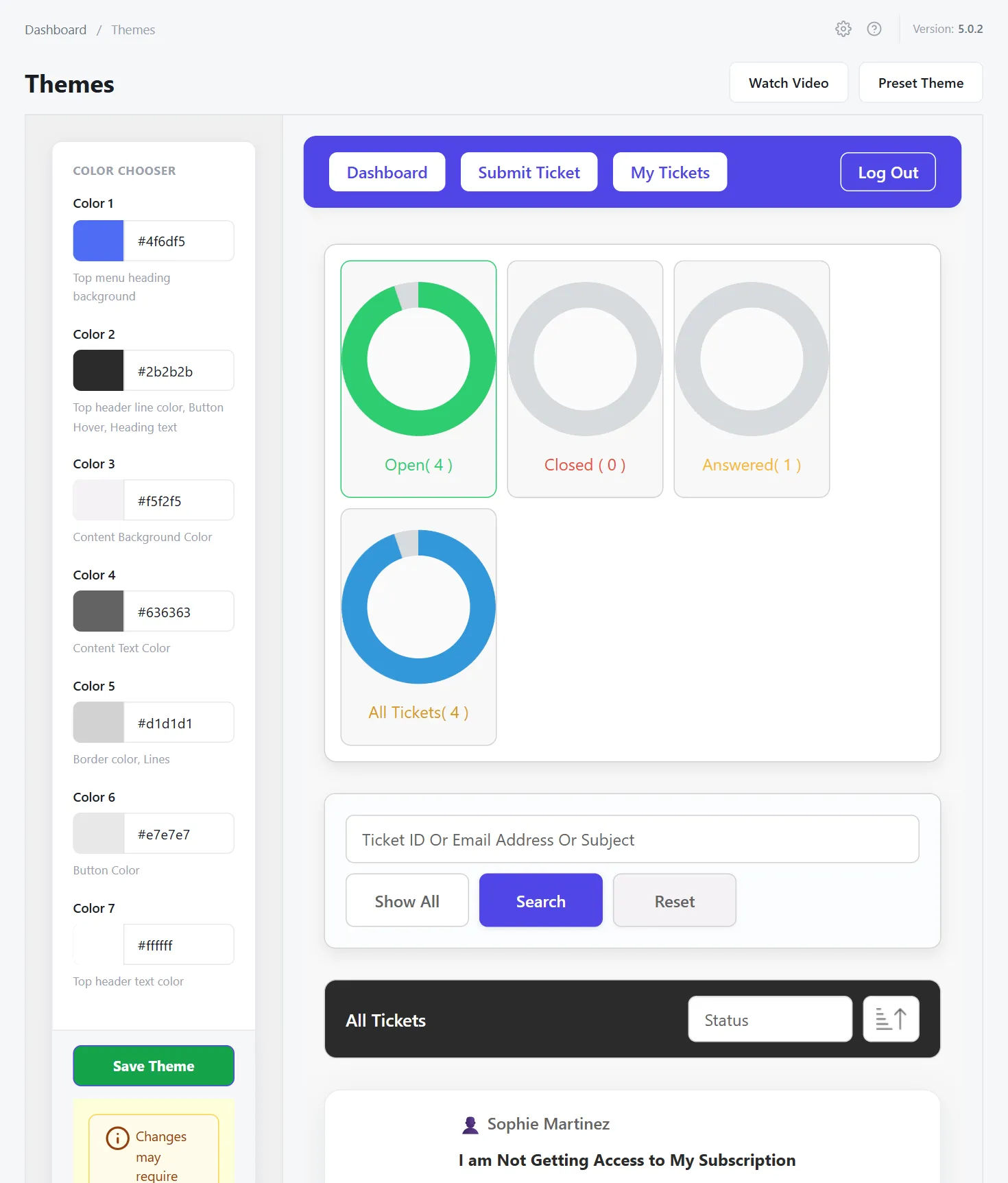
| Colour | Used for |
|---|---|
| Color 1 | The top menu’s background |
| Color 2 | Top header lines, button hover and heading text |
| Color 3 | The content background |
| Color 4 | The content text |
| Color 5 | Borders and lines |
| Color 6 | Buttons |
| Color 7 | The top header’s text |
Pick a colour or type its code, or start from Preset Theme (blue, red, greenish, purple, orange, green or black). Click Save Theme.
For your own logo, name and e-mail branding, see the Customer Experience pack.
The support icon
Section titled “The support icon”A small tab fixed to the edge of every page of your site, which slides out on hover and opens the help desk. It is on by default, at the top left. Change it under Configurations → General → Support Icon: show or hide it, use your own image or text, and choose one of six positions. See General.