Help Desk → Configurations → Ticket Settings.
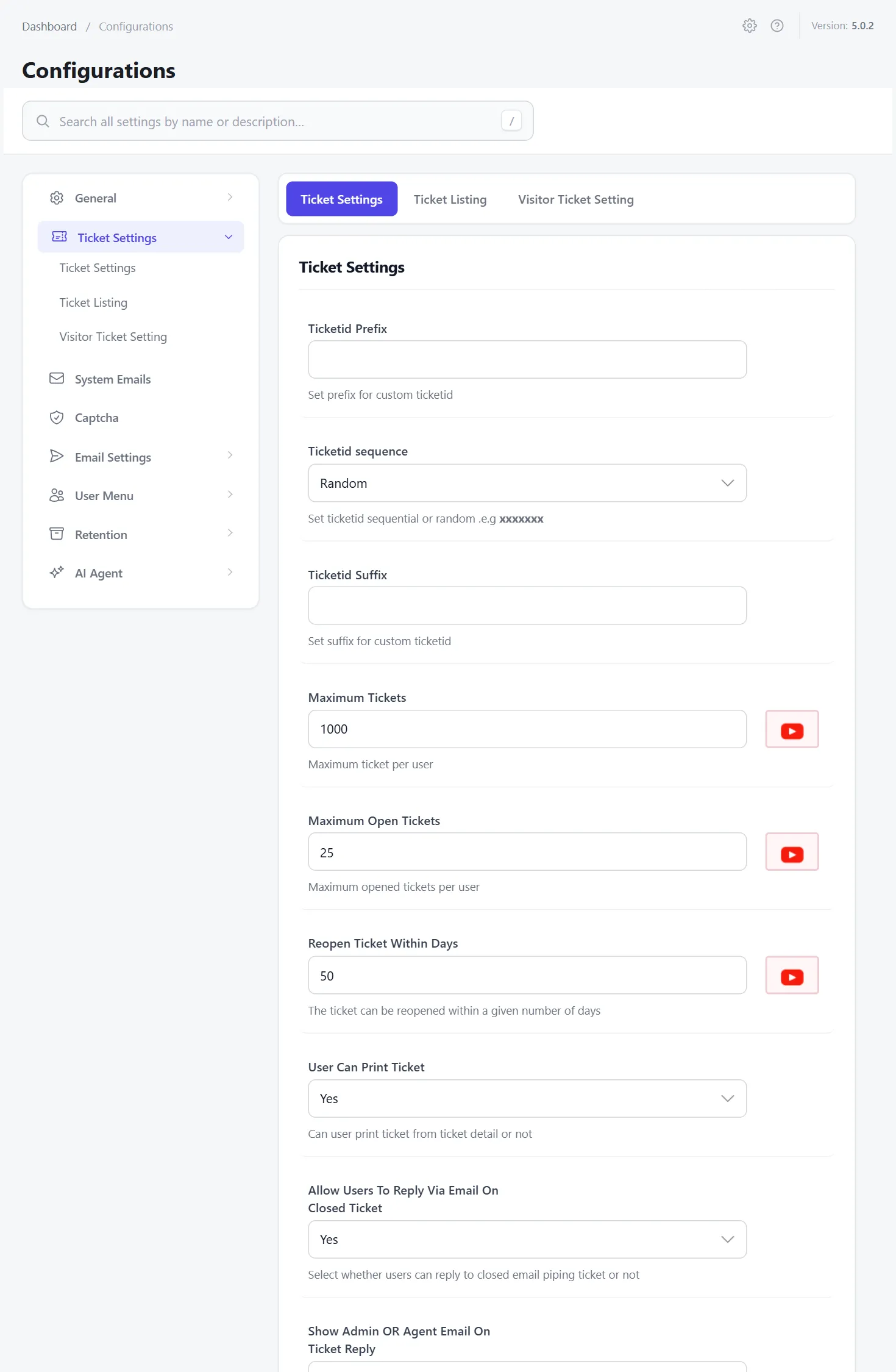
Every ticket gets an ID that customers quote and that appears in e-mails.
| Setting |
Default |
What it does |
| Ticketid sequence |
Random |
Random gives IDs like QyNtBx9ZH, which can’t be guessed. Sequence numbers tickets in order. |
| Pad Zeros |
1 |
With Sequence, pads the number to this many digits (3 gives 001, 002…). |
| Ticketid Prefix |
(empty) |
Text before the ID, up to 10 characters, for example ACME-. |
| Ticketid Suffix |
(empty) |
Text after the ID, up to 7 characters. |
The screen shows an example of what your next ID will look like as you change
these.
| Setting |
Default |
What it does |
| Maximum Tickets |
1000 |
The most tickets one customer can ever raise, counted by e-mail address. 0 means no limit. |
| Maximum Open Tickets |
25 |
The most tickets one customer can have open at once. Above it, they are asked to wait until one is closed. |
| Reopen Ticket Within Days |
50 |
How long after the last reply a closed ticket can still be reopened. |
| Setting |
Default |
What it does |
| User Can Print Ticket |
Yes |
A Print button on the customer’s ticket. |
| Show Ticket Delete Button |
Yes |
A Delete button on the customer’s ticket. |
| Show Admin OR Agent Email On Ticket Reply |
Yes |
Show the e-mail address of whoever replied. |
| Show Anonymous Name On Ticket Reply |
No |
Yes signs your team’s replies with the help desk’s title instead of the person’s name. |
| Ticket Replies Ordering |
Oldest First |
The order of the conversation on a ticket. |
| Show Message Read Icon For Users / Admin / Agents |
Yes |
Show a read mark once a message has been seen. |
| New ticket message |
(empty) |
A message shown on the new ticket form. |
| Allow Users To Reply Via Email On Closed Ticket |
Yes |
Only with e-mail piping (Email pack): whether a reply by e-mail to a closed ticket is accepted. |
| Setting |
Default |
What it does |
| Ticket Listing Ordering |
Default |
The queue’s default order: Default sorts by status, Created by date raised. |
| Ticket Listing Sorting |
Descending |
Ascending or descending. |
| Show Closure Info On Admin Tickets |
Show |
Show who closed a ticket, and when, in your queue. |
| Show Closure Info on User Tickets |
Show |
The same on the customer’s My Tickets. |
| Setting |
Default |
What it does |
| Visitor Can Create Ticket |
Yes |
Let people raise tickets without an account. See Visitors. |
| Visitor ticket creation message |
“Thank You for contacting us…” |
Shown to a visitor after they raise a ticket. |

