

Customers and companies
Customers
Section titled “Customers”Customers → Customers lists everybody whose tickets you can see, with their company, how many tickets they have raised, how many are open and when they last wrote.
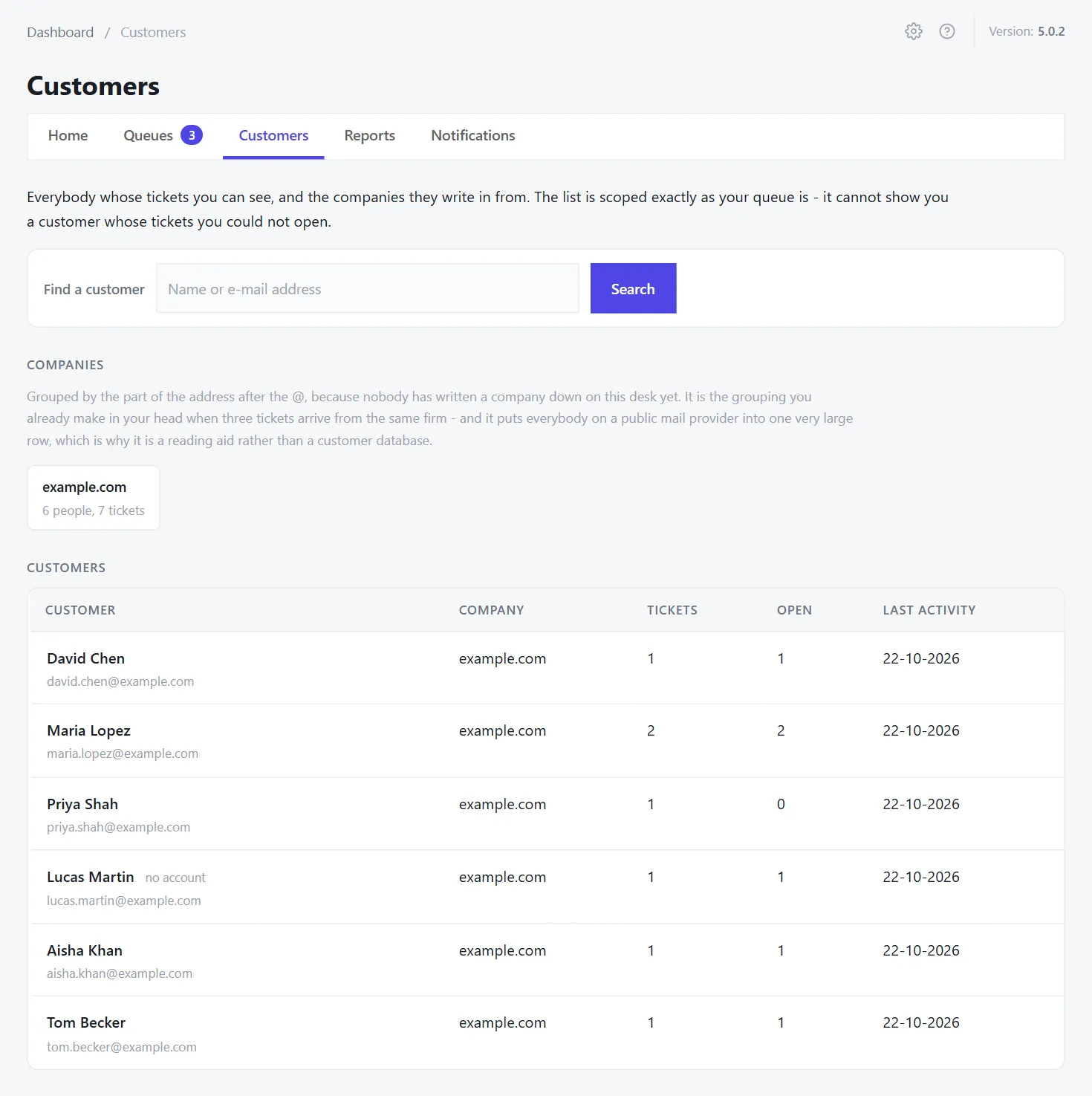
Search by name or e-mail address. Click a customer to see What they have asked before. A customer who raised tickets as a visitor shows as no account.
Companies
Section titled “Companies”Until you add companies, customers are grouped by their e-mail domain, so
everyone @acme.com appears together. To make a company a proper record, go to
Customers → Companies and click Add Company.
| Field | |
|---|---|
| Name | The company’s name. |
| E-mail domains | Everyone writing in from these domains belongs to it. Public mail providers such as gmail.com can’t be used, and one domain can belong to only one company. |
| Customer tier | A label your service level policies can match on. |
| Status | Active, or archived to keep its history but match nobody new. |
| Contract reference, starts, ends, Notes | For your records. Nothing is refused because of the dates. |
| The people in it | Name individuals as a Contact or a Supervisor. |
A person named on a company belongs to it whatever their address; otherwise their e-mail domain decides.
A Contact sees only their own tickets. A Supervisor can also read their colleagues’ tickets, read-only, in the portal. That is the only way a company widens what anyone can see.
Deleting a company never touches its tickets.