

Email templates
Help Desk → Outgoing Email → Email Templates holds every message the help desk sends by itself. Pick one from the list on the left to edit its Subject and Body, then click Save Email Template.
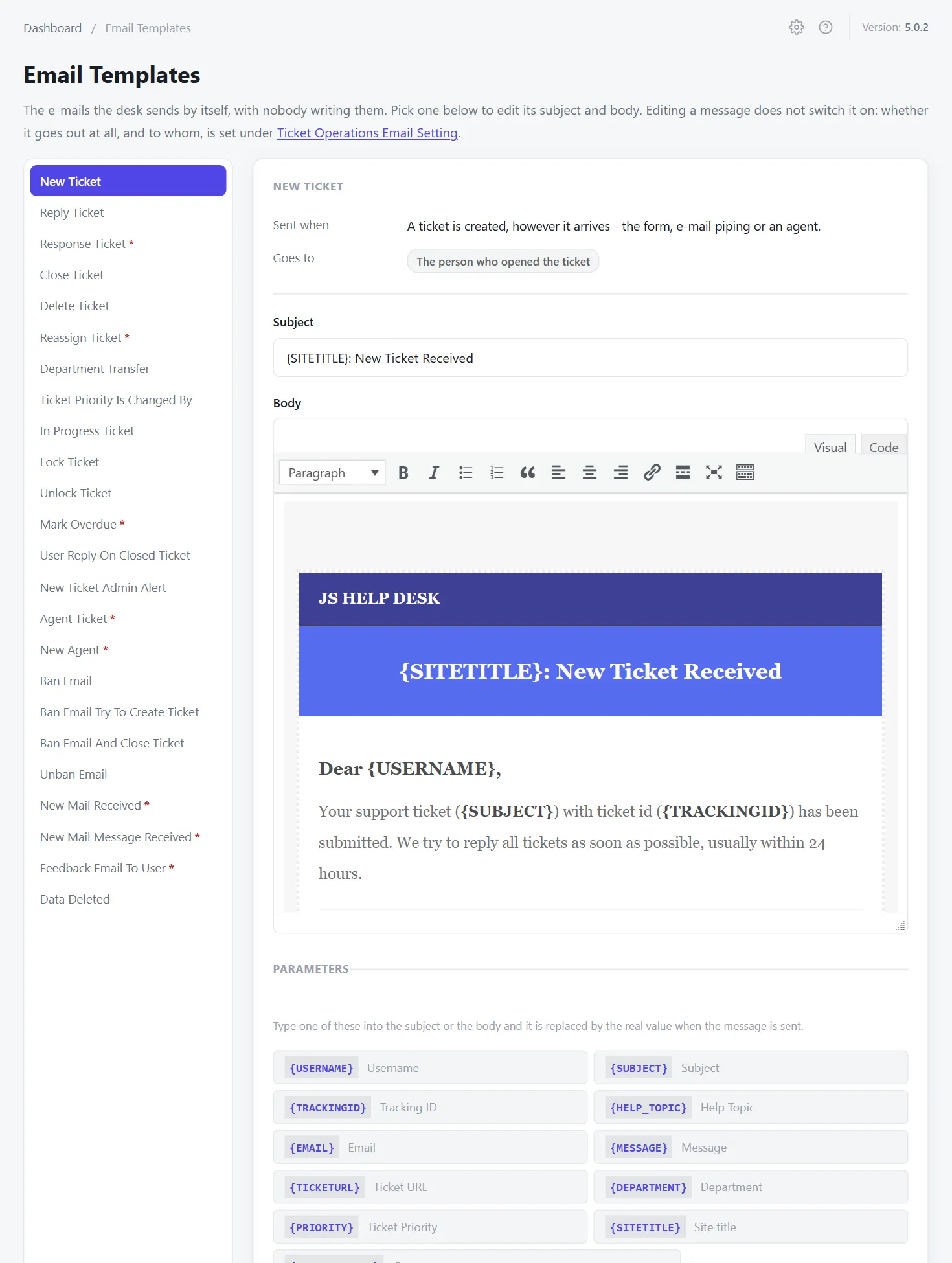
Each template shows Sent when and Goes to, so you know exactly when it is used. Editing a template doesn’t switch it on: whether it is sent at all is set under Who is notified.
The templates
Section titled “The templates”| Template | Goes to |
|---|---|
| New Ticket | The customer who raised it |
| New Ticket Admin Alert | The admin address, and the department’s address if it receives e-mail |
| Reply Ticket | Your team, when the customer replies |
| Response Ticket | The customer, when your team replies |
| Close Ticket, Delete Ticket | Admin and customer |
| Department Transfer, Ticket Priority Is Changed By, In Progress Ticket, Lock Ticket, Unlock Ticket | Admin and customer |
| Ban Email, Ban Email And Close Ticket, Unban Email | Admin and the address concerned |
| Data Deleted | A customer whose data was erased |
Templates marked with * belong to an add-on pack that isn’t active, such as Reassign Ticket, Mark Overdue or Feedback Email To User.
Placeholders
Section titled “Placeholders”Type a placeholder into the subject or body, and it is replaced with the real
value when the message is sent. The Parameters box beside the editor lists
exactly which ones the open template supports. Every template has {SITETITLE}
and {CURRENT_YEAR}. The ticket templates have most of these:
| Placeholder | Becomes |
|---|---|
{USERNAME} |
The customer’s name |
{EMAIL} |
The customer’s e-mail address |
{SUBJECT} |
The ticket’s subject |
{MESSAGE} |
The customer’s message |
{TRACKINGID} |
The ticket ID |
{TICKETURL} |
A link to the ticket |
{DEPARTMENT} |
The department |
{PRIORITY} |
The priority |
{HELP_TOPIC} |
The topic |
{TICKET_HISTORY} |
The conversation so far (reply, close and other ticket templates) |
Your own ticket form questions can be used too, as {field_key}; they are
listed in the Parameters box.
{TICKETURL} is different for each reader: your admin copy links to the ticket
in WordPress, while the customer’s copy links to their ticket in the portal and
lets a visitor without an account open it straight away.