

Your account and your data
Logging in
Section titled “Logging in”Click Login in the help desk’s top menu. Depending on the site, you either see the help desk’s own login form (Username, Password, keep me login and a Login button) or another login page the site has chosen.
If a page says “You are not logged In”, click Login on that page.
Registering
Section titled “Registering”If you don’t have an account, click Register. On the help desk’s own form, fill in Username, Email, First Name, Last Name, Password and Repeat Password, complete the security check if there is one, and click Register. You are signed in straight away.
| Message | What to do |
|---|---|
| “Username already taken” | Choose another username. |
| “Email already registered” | You already have an account. Log in instead, or reset your password from the login page. |
| “Passwords do not match” | Type the same password in both boxes. |
| “Registration has been disabled by admin, please contact the system administrator.” | The site doesn’t take new accounts. You may still be able to raise a ticket as a visitor. |
To change your name, e-mail address or password, use your profile on the site. The help desk has no separate profile page.
Your data
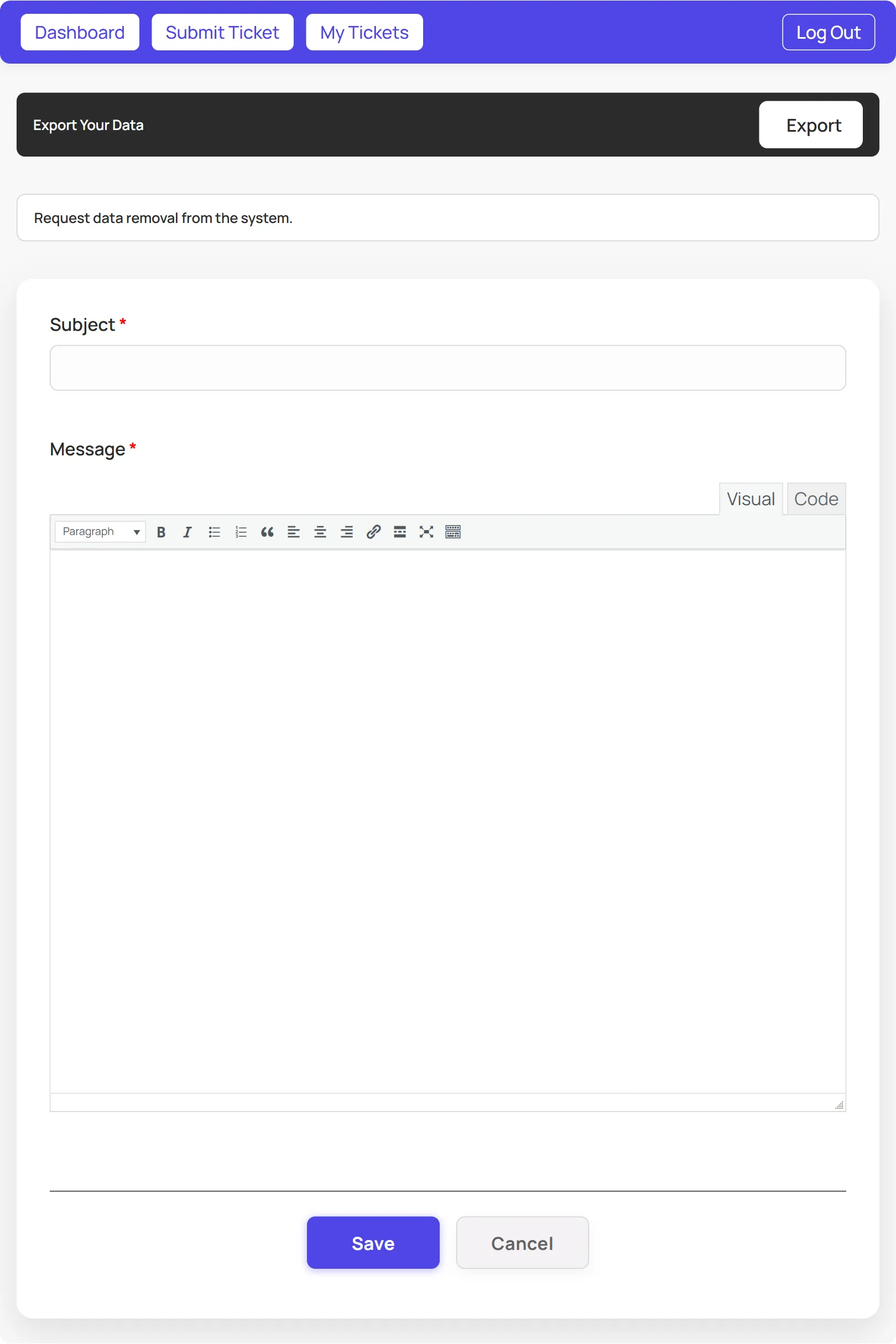
Section titled “Your data”Signed-in customers have a User Data page. Open it from User Data in the dashboard links.
Download your data
Section titled “Download your data”Under Export Your Data, click Export. A spreadsheet file downloads with the help desk data held about you. If there is nothing, you see “No Record Found”.
Ask for your data to be erased
Section titled “Ask for your data to be erased”- Under Request data removal from the system., fill in Subject and Message, for example why you want it removed.
- Click Save.
This sends a request to the site’s team; nothing is removed yet. The page then says “You have filed a request to remove your data.”
The team then either erases the details that identify you, keeping an anonymous record of the tickets, or deletes your tickets entirely. Either way you are e-mailed (Delete User Data). This can’t be undone.
Changed your mind? Until the team acts, click To withdraw erases data request on the same page. You see “Erase data request withdrawn”.
Who can see your tickets
Section titled “Who can see your tickets”Your tickets, replies and attachments are visible to you and to the site’s support team. Notes the team writes for each other stay with the team. If your account belongs to a company the site has set up, a colleague at your company may be able to read your tickets, without replying to them.