

Your profile
What customers and colleagues see of you comes from two places: your WordPress user, and (with the Agents & Teams pack) your record on the Agents list.
In the portal: My Profile
Section titled “In the portal: My Profile”Agents on the Agents list have a My Profile page in the portal, reached from Dashboard Links on the agent dashboard.
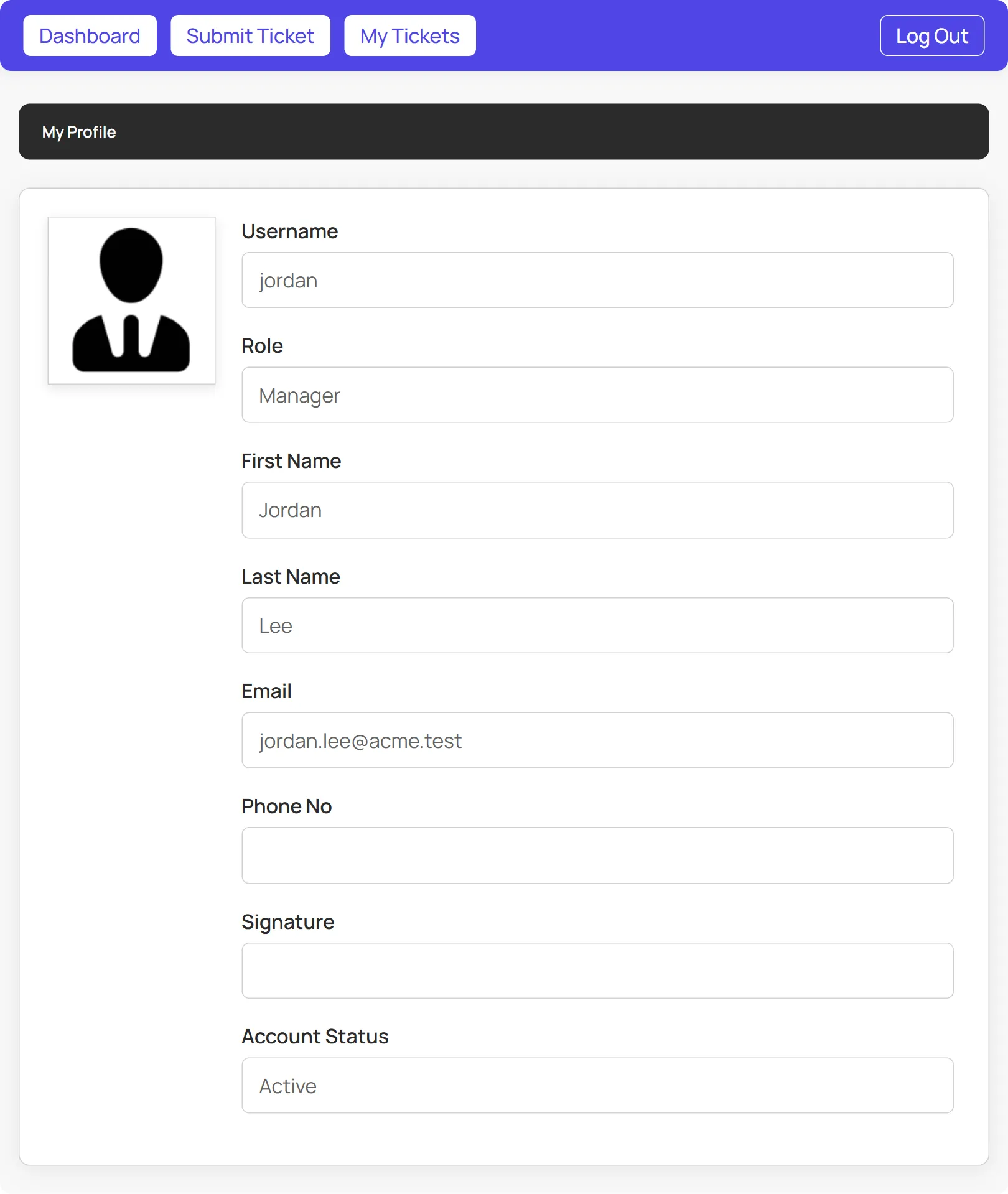
| Field | Can you change it? |
|---|---|
| Picture | Yes. Point at the picture and choose a file under Upload Image. The file types allowed are the help desk’s attachment types. |
| First Name, Last Name | Yes. |
| Phone No | Yes. |
| Signature | Yes. This is the Own Signature added to replies you send from the portal. |
| Username, Email | No. They come from your WordPress user. |
| Role | No. Your help desk role, set by your administrator. |
| Account Status | No. Whether your agent record is switched on. |
To change a field, point at it and click the pencil that appears. Type the new value and click the save icon beside it. It is saved straight away; there is no separate Save button.
If your administrator keeps you to the WordPress desk, this page sends you back with “Your account works tickets in the WordPress administration rather than here.”
In WordPress: My Profile
Section titled “In WordPress: My Profile”My Profile at the bottom of the help desk’s left menu opens your ordinary WordPress profile. Your name, e-mail address and password are changed there, as on any WordPress site.
The Own Signature used on the WordPress desk is the Signature box in the JS Help Desk section of that profile. Only an administrator sees that box, so ask yours to fill it in on your user. Until it is set, the reply box shows an Add Signature link.
So you may have two signatures: one for replies sent from WordPress and one for replies sent from the portal. If you use both desks, ask for both to be set to the same text.
Your notifications and hours
Section titled “Your notifications and hours”How you are told about things, and your working hours and time off, are kept with your agent record too. See Notifications and hours.