

My Desk and notifications
My Desk
Section titled “My Desk”Overview → My Desk gathers what needs you in one place.
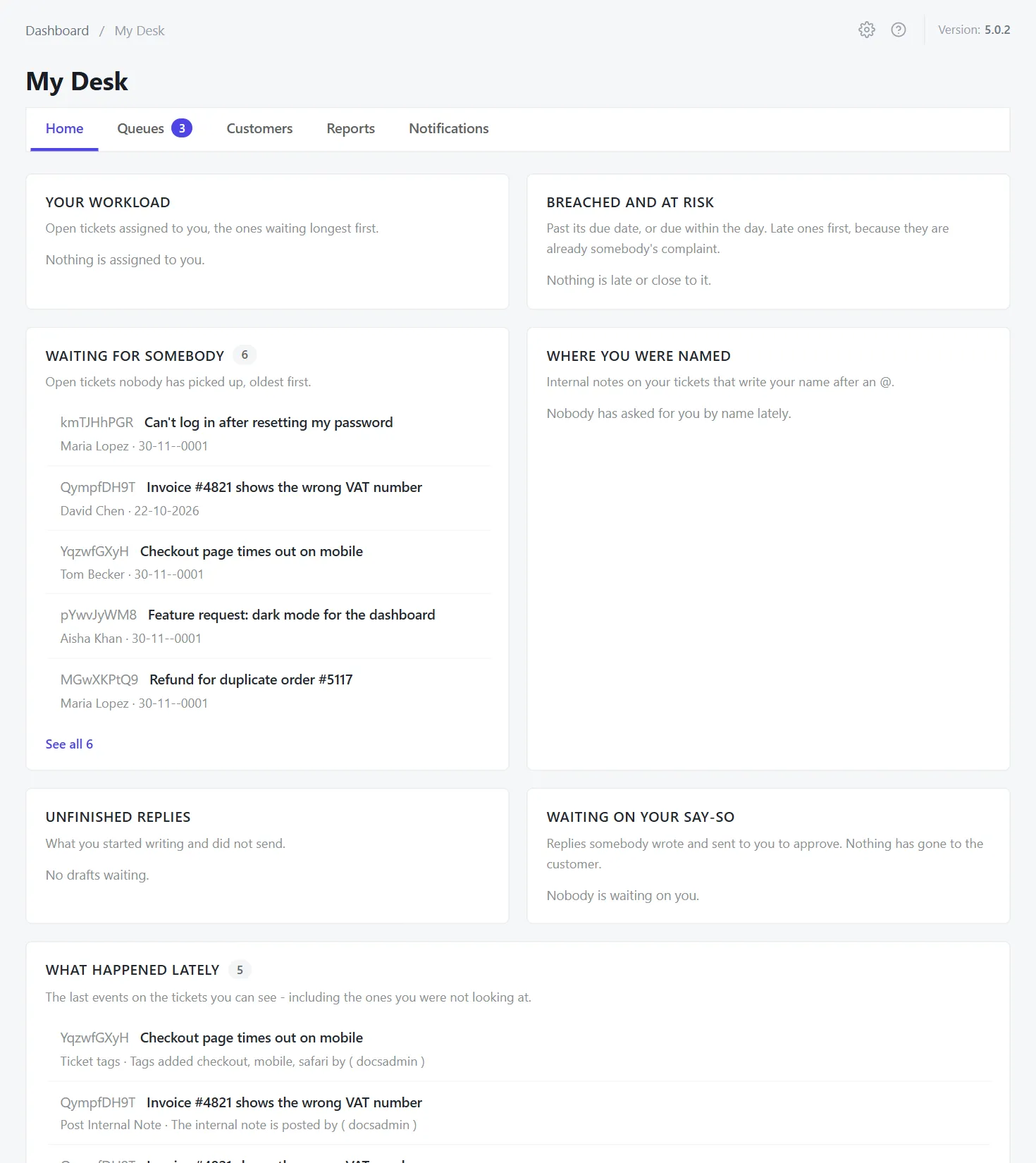
| Panel | Shows |
|---|---|
| Your workload | Open tickets assigned to you, the ones waiting longest first. |
| Breached and at risk | Tickets past their due time, or due within the day. |
| Waiting for somebody | Open tickets nobody has picked up, oldest first. |
| Where you were named | Internal notes that @mention you. |
| Unfinished replies | Replies you started and didn’t send. |
| Waiting on your say-so | Replies a colleague wrote and sent you to approve. Nothing has gone to the customer yet. |
| What happened lately | The latest events on tickets you can see. |
Assignment, mentions, approvals and due times come from the Agents & Teams and Service Levels & Automation packs; without them those panels stay empty.
Notifications
Section titled “Notifications”Overview → Notifications is for people on the agents list (the Agents & Teams pack). It lists What happened — tickets assigned to you, tickets you follow, mentions and tickets about to be late — with Mark all as read.
Under How you are told each person chooses, for each kind of event, whether to be told here, by e-mail or in the browser, and whether to hold e-mail outside their working hours or while on leave, as one digest afterwards.
The help desk’s e-mails to customers and administrators are set elsewhere: see Who is notified. For the agent’s side of all this, see For agents.