

Getting help from our support team
This guide is for customers of a website that uses JS Help Desk for support. It explains how to ask for help, follow your request and look after your details.
How it works
Section titled “How it works”When you ask for help, you raise a ticket: your question, with a subject and a message. Every ticket gets its own Ticket ID. The support team answers on the ticket, you reply, and the whole conversation stays together in one place until the problem is solved and the ticket is closed.
You can raise a ticket in two ways:
- Signed in to your account on the site. All your tickets are then listed together under My Tickets.
- As a visitor, without an account, if the site allows it. You give your name and e-mail address, and you get back to your ticket with the link in your e-mails or with a token. See Check a ticket without an account.
Where to find the help desk
Section titled “Where to find the help desk”The help desk is a page on the website, often called something like Support or Help Desk. There are usually several ways in:
- The support icon. A small tab fixed to the edge of every page, with a picture and the word Support. Hover over it and it slides out; click it to open the help desk. The site decides whether it is shown and where: top, middle or bottom, on the left or the right.
- A link or menu item the site has added.
- The link in any e-mail you have had about a ticket.
Finding your way around
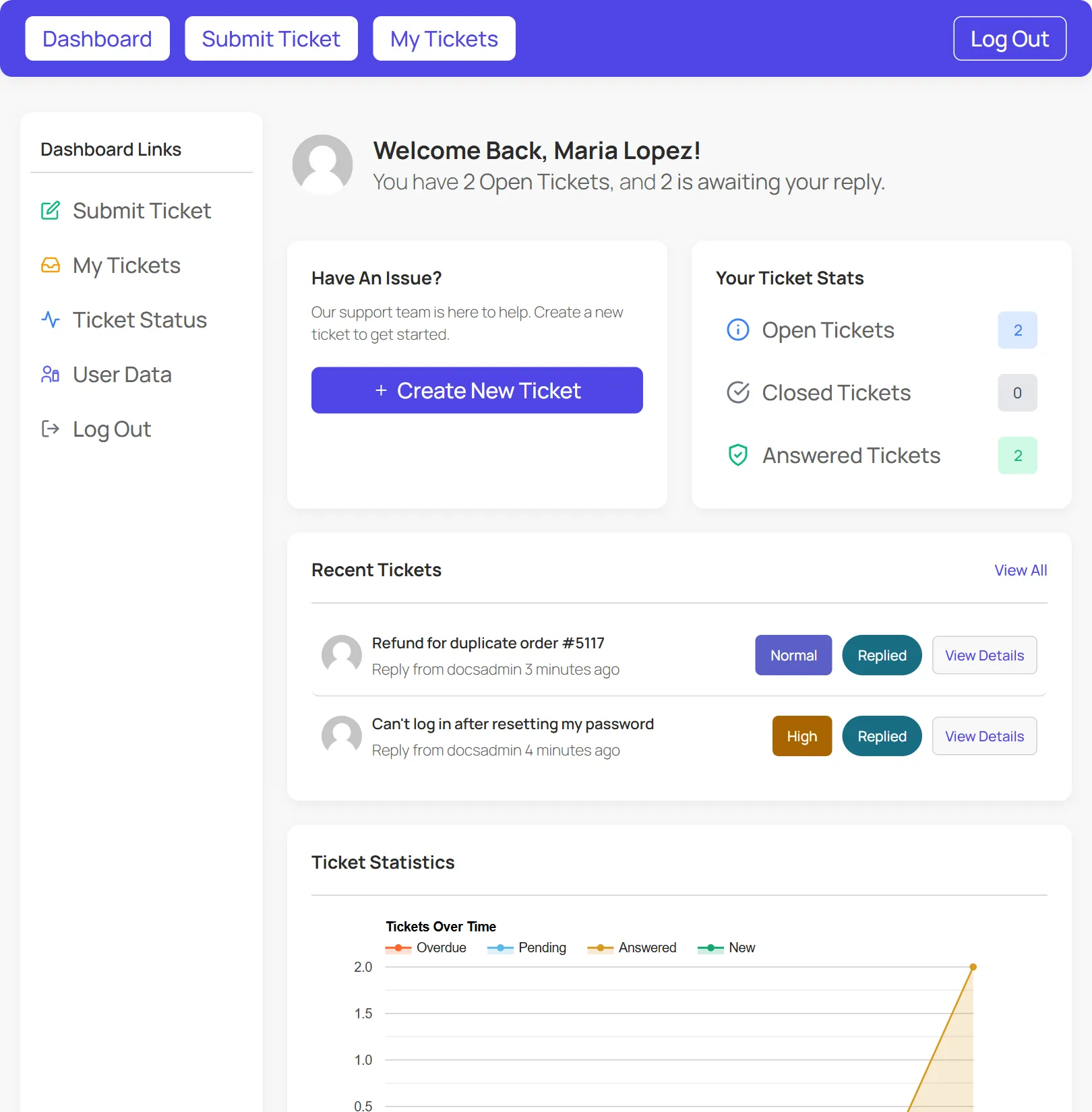
Section titled “Finding your way around”Across the top of the help desk are links to Dashboard, Submit Ticket, My Tickets, and Login or Log Out.
If you are signed in, the dashboard welcomes you back, says how many open tickets you have, shows Your Ticket Stats (open, closed and answered) and lists your Recent Tickets. The Dashboard Links down the side lead to Submit Ticket, My Tickets, Ticket Status and User Data.
If you are not signed in, the dashboard shows Have An Issue? with a Create New Ticket button, and Check Ticket Status for a ticket you have already raised.