

Web pages and videos
With the pack, Knowledge Sources → Web pages (headed Knowledge Sources: Web pages) lists the pages and videos the AI is allowed to read, on top of your knowledge base, FAQs and the other sources on What the AI may read. Nothing outside this list is ever fetched. What is crawled is set here; whether it may be quoted is set by Indexed documentation on What the AI may read, so approve that source too.
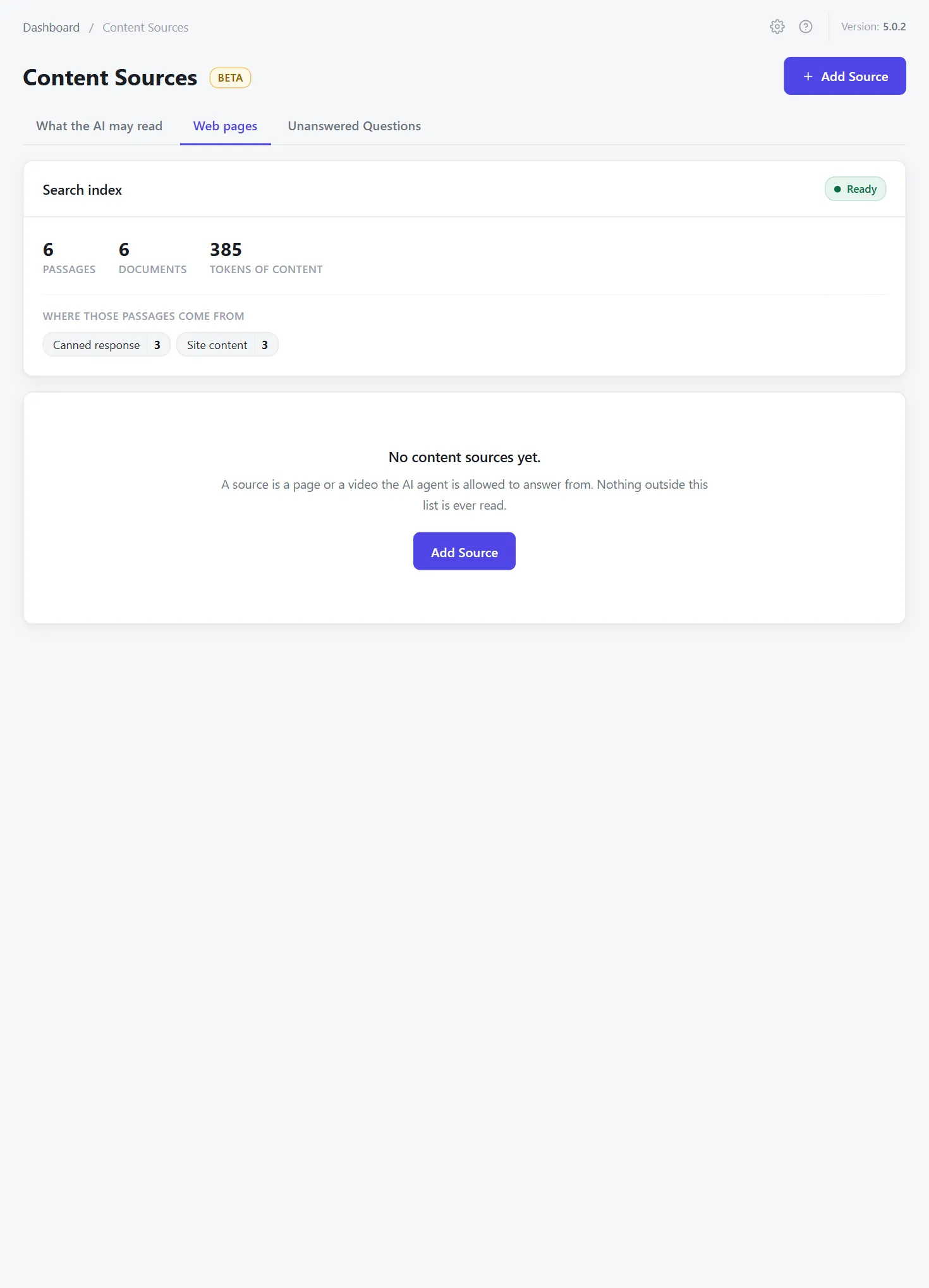
The Search index card shows whether the index is Ready, Building or Not built yet, with counts of Passages, Documents and Tokens of content, and Where those passages come from, using the same source names as What the AI may read. It counts everything copied into the AI’s search index. Resolved tickets are searched where they are, so they are counted on What the AI may read, not here. While the index is building, searches still work using an older, less accurate method.
With no sources yet, the screen says No web pages yet. with an Add Source button.
Adding a source
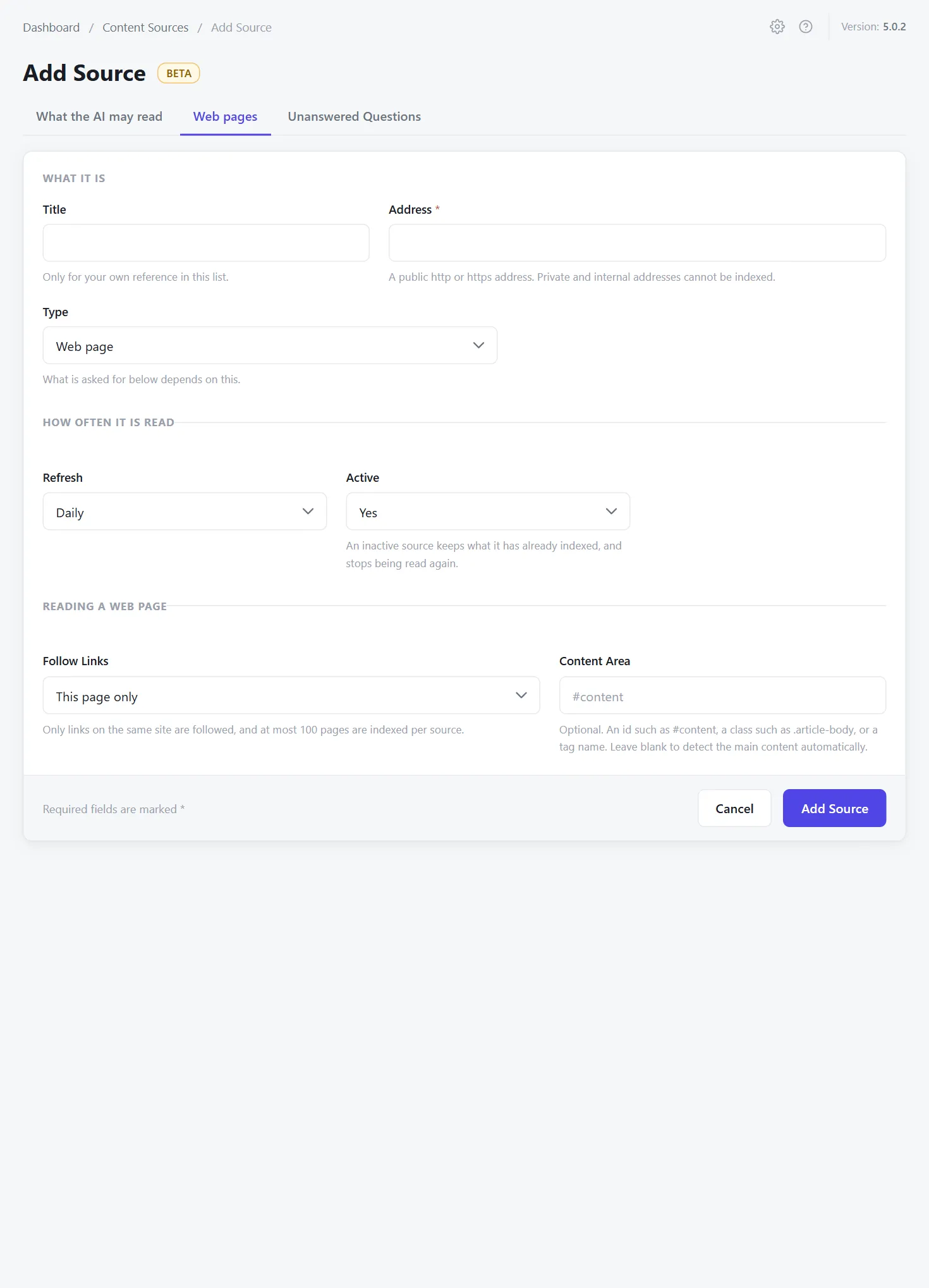
Section titled “Adding a source”- Click Add Source. The form opens, headed Add a web page source.
- Fill in the form (below) and click Add Source.
- Indexing starts in the background a few seconds later: “Source added. Indexing has started and will finish shortly.”
| Field | What it does | Default |
|---|---|---|
| Title | For your own reference in the list. | Empty |
| Address | Required. A public http or https address. Private and internal addresses (such as localhost or 127.0.0.1) are refused. |
Empty |
| Type | Web page or YouTube video. The fields below change to match. | Web page |
| Refresh | How often it is read again: Hourly, Twice daily, Daily or Weekly. | Daily |
| Active | No keeps what has already been indexed but stops reading it again. | Yes |
For a Web page:
| Field | What it does | Default |
|---|---|---|
| Follow Links | This page only, This page and the pages it links to, or Three levels deep. Only links on the same site are followed, and at most 100 pages are indexed per source. | This page only |
| Content Area | Optional. An id such as #content, a class such as .article-body, or a tag name, to read only that part of the page. Blank detects the main content automatically. |
Empty |
The crawler respects the site’s robots.txt. When it follows links, it treats a
link to a spot on a page (#section) as the page itself, and it skips links
that do something rather than show something: links marked nofollow, shop
links (cart, basket, checkout, add to cart, wishlist), account and login pages,
feeds, and links to files such as images, archives, scripts and videos. None of
those is help content, and following some of them, such as “add to cart”, would
change things on that site. A page with broken characters in it is still read,
with those characters dropped.
For a YouTube video, which has no readable text, what you write is most of what it can be found by:
| Field | What it does |
|---|---|
| Chapters | One per line, starting with the timestamp, for example 2:15 Resetting your password. Each becomes its own answer linking to that moment in the video. |
| Keywords | Words customers might use. |
| Tags | More words to match on. |
The list
Section titled “The list”| Column | What it shows |
|---|---|
| Source | The title and address. |
| Type | Web page or Video. |
| Indexed | How many documents were indexed, and when it was last read (Read and the date, or Read Never). nothing could be read means the last read found nothing. |
| Refresh | The interval. |
| Status | On or Off. Click to stop or start reading it again. |
| Action | Sync Now, Edit, Delete. |
Sync Now reads the source again straight away, in the background: refresh the page in a moment to see the new count. Edit opens the form headed Edit web page source, saved with Save Source. Editing a source’s address or Follow Links re-indexes it automatically. Delete removes the source and everything indexed from it, after asking.
If nothing can be read from a source, the content indexed before is kept and the reason is logged under System Errors.