

Merges, credentials and time
All three come with the Agents & Teams pack. Whether you can use each one depends on your role.
Merging duplicates
Section titled “Merging duplicates”When a customer writes twice about the same thing, merge the second ticket into the first so the conversation carries on in one place. Help Desk Agents can merge; Light Agents can’t.
On the ticket you want to keep, open More actions → Merge Ticket, or
press M.
- Under Find the other ticket, search by Subject or Email, or pick from the list. Tickets that look like the same request are marked Likely duplicate.
- Check which way each merge goes: the button on a result says Merge #A into #B. The ticket merged away is closed; the one it goes into stays open.
- To merge several at once into the ticket you are on, tick them and click Merge selected into this ticket.
- Read What this merge will do and What is preserved, then click Merge.
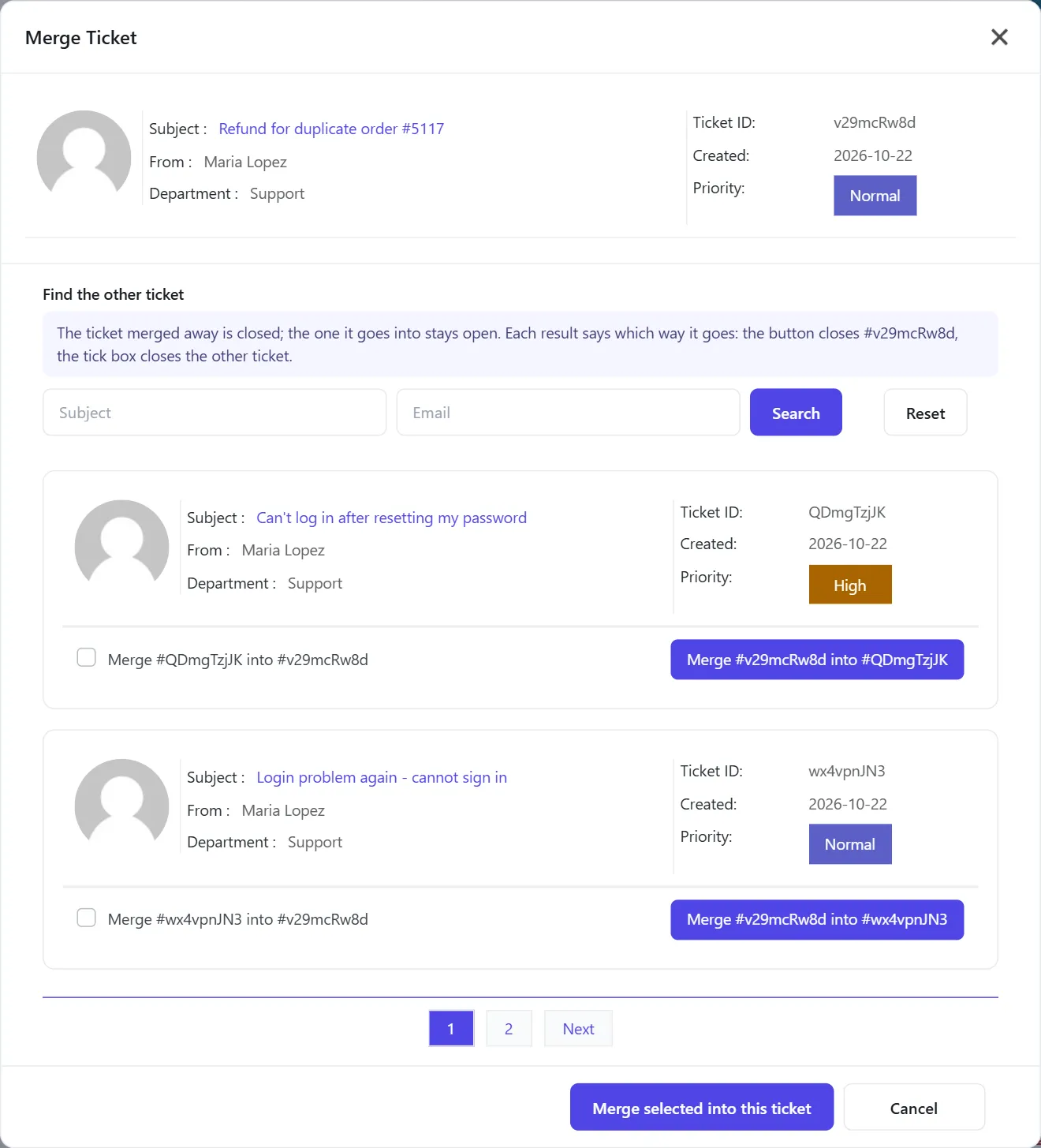
The merged ticket closes with the status Close Due To Merge, and a reply recording the link is posted on both tickets so the customer and the next agent can follow it. Every reply, note and attachment stays on the ticket it was written on.
The ticket you kept lists them under Merged Tickets. To undo a merge, click Unmerge beside one: it reopens with the status it had before.
Private credentials
Section titled “Private credentials”Customers can hand you a login or password for their account inside a ticket, instead of putting it in a reply. It is stored encrypted, and the reply thread never contains it.
On the ticket, click Private Credentials. Its icon changes when the ticket holds any.
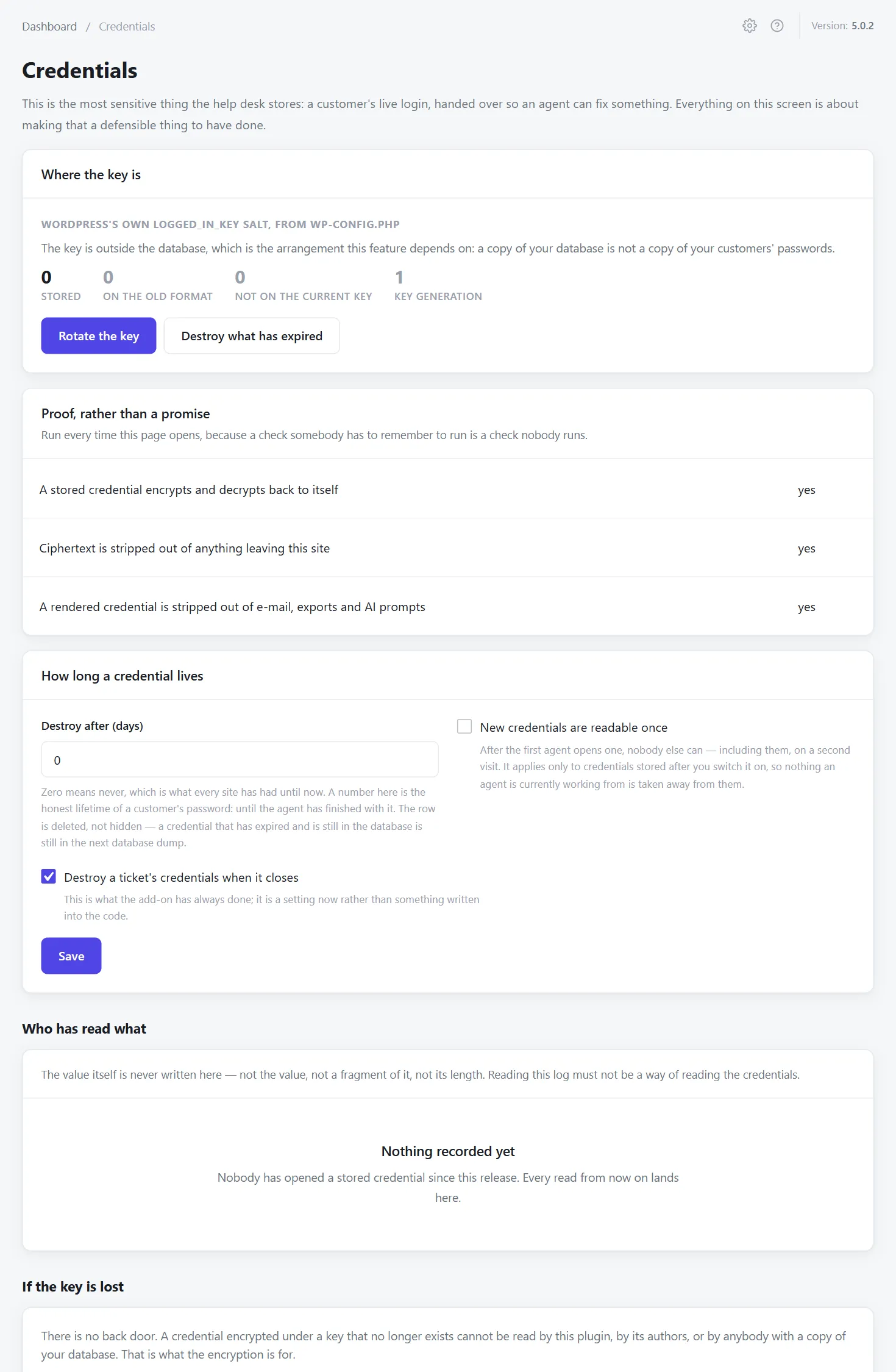
Each credential shows its type, User Name, Password and Additional Info, and who gave it. Whether you can open the window, and whether you see Edit and Delete, depends on your role’s credential permissions. You can add one yourself with Add New Credential, for example a temporary login you set up for the customer.
Things to know before you open it:
- Opening the window reads every credential on the ticket, and that is logged: who read which credential and when (never the value).
- A credential the customer set to be read only once is used up the first time the window shows it. Afterwards you see “This credential was set to be readable once, and it has been read. Ask the customer for a new one.” Copy what you need the first time.
- Expired credentials say so instead of showing the value.
- Credentials are removed when the ticket is closed, and none can be added to a closed ticket.
Recording your time
Section titled “Recording your time”There are two ways to record time, and your site may use either or both.
The stopwatch
Section titled “The stopwatch”When time tracking is on, the reply and note forms have a stopwatch showing Time Taken so far, with play, pause and stop buttons.
- Press play when you start working the ticket. Pause it if you are pulled away.
- Post your reply or note. The time on the stopwatch is saved with it.
If your role allows Edit Own Time, the pencil button lets you correct the time before posting; give a Reason For Editing The Timer. If the time you record is longer than the ticket has been open in your browser, it is flagged for your administrator to look at.
Total Time Taken on the right of the ticket adds up everything recorded on it.
Record time on this ticket
Section titled “Record time on this ticket”When your administrator has turned on the Time feature and lets agents record their own, the ticket has a Record time on this ticket panel. Use it for work you didn’t time, such as a phone call.
| Field | What it does |
|---|---|
| Minutes | How long. Required. |
| Spent on | The day you did the work. Today, unless you change it. |
| What it was | A short description. |
| Chargeable | Whether the customer is billed for it. Your administrator sets whether it starts ticked. |
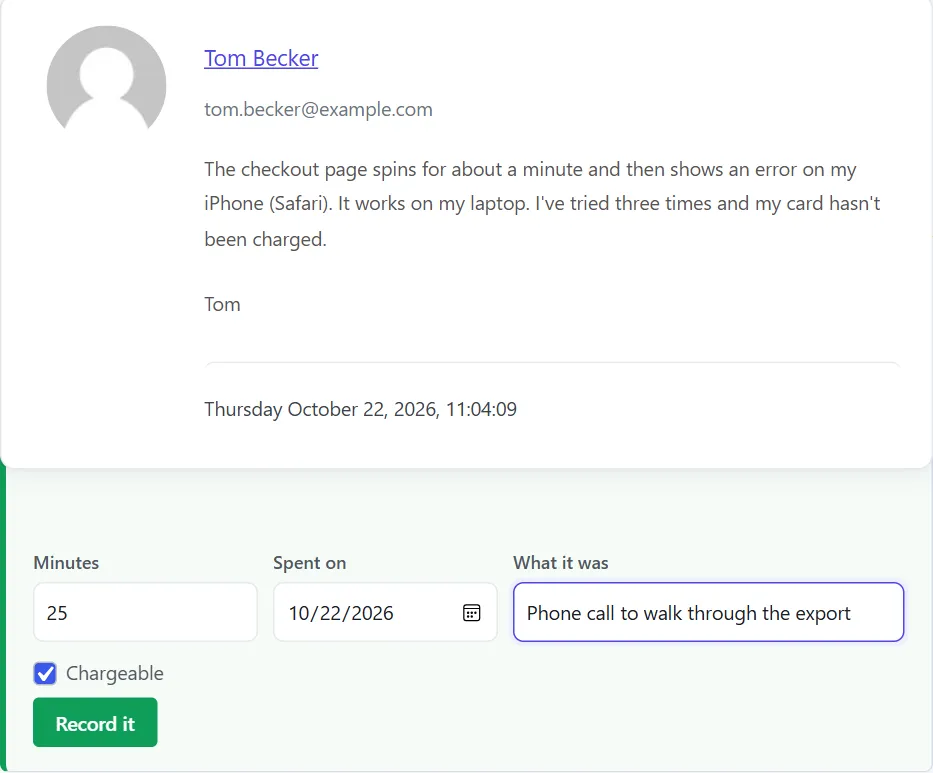
Click Record it. The panel shows how much you have recorded on the ticket so far. It also tells you if entries are rounded (for example “Time here is rounded up to the next 15 minutes”) or if they wait to be allowed before they count as chargeable.