

Credentials vault
Customers can store logins and passwords on a ticket so an agent can fix something (see Working a ticket). They are encrypted. Privacy & Security → Security → Credentials is where you check that the encryption is sound and see who has read what.
Who can read, add, edit and delete credentials is set by the View Credentials, Add Credentials, Edit Credentials and Delete Credentials permissions.
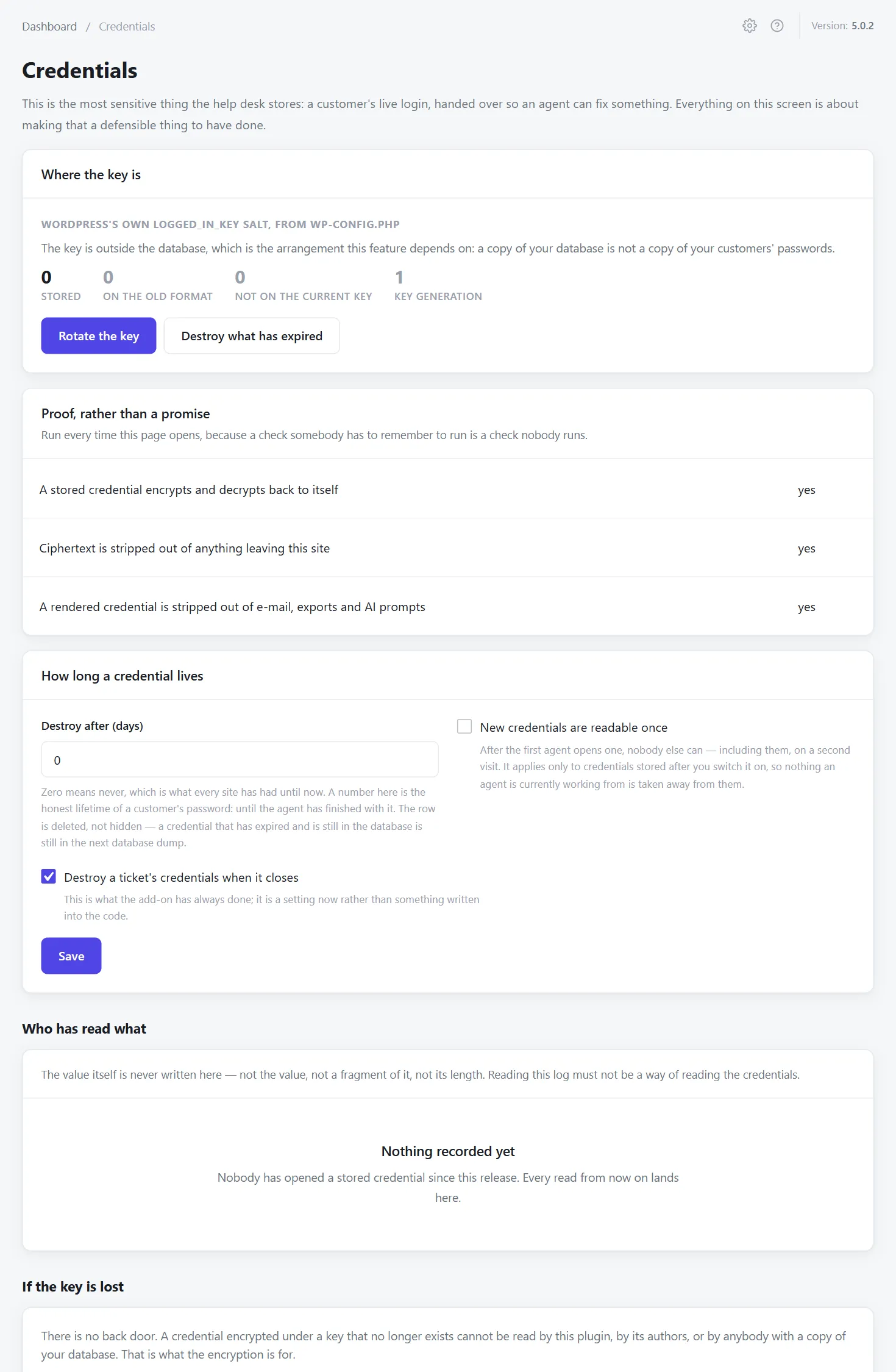
Where the key is
Section titled “Where the key is”The heading names where the encryption key comes from. The help desk uses the first of these it finds:
- A constant in wp-config.php:
JSST_PRIVATE_CREDENTIALS_KEY. - An environment variable of the same name.
- WordPress’s own LOGGED_IN_KEY salt, from wp-config.php.
- A key generated and kept in this site’s own database.
The first three keep the key out of the database, so a copy of your database is not a copy of your customers’ passwords. The fourth protects nothing against someone with a database copy; while it is in use, the Credentials menu item shows a badge and the screen shows a line you can paste.
Setting your own key
Section titled “Setting your own key”-
Take a database backup.
-
Get the line to add. While the database key is in use, the screen shows a ready-made one with a freshly generated value (it changes each time the page opens and isn’t stored). Otherwise write it yourself with a long random value:
define( 'JSST_PRIVATE_CREDENTIALS_KEY', 'a long random value' );Keep a copy of the value somewhere safe: if you lose it, credentials encrypted under it are gone.
-
Add it to
wp-config.php, above the line/* That's all, stop editing! */.
The counts
Section titled “The counts”| Count | Means |
|---|---|
| Stored | Credentials held. |
| On the old format | Stored by the old Private Credentials add-on. Still readable; rotating moves them to the current format. |
| Not on the current key | Rows not yet re-encrypted under the current key generation. |
| Key generation | How many times the key has been rotated, starting at 1. |
Rotating the key
Section titled “Rotating the key”Rotating derives a new key from the same secret and re-encrypts every
credential under it. You don’t edit wp-config.php to rotate.
- Take a database backup.
- Click Rotate the key and confirm.
- Rows are moved fifty at a time and stay readable throughout. While some remain, the button reads Move the next batch; click it until Not on the current key is 0.
A row that won’t decrypt is left exactly as it is and counted.
Proof, rather than a promise
Section titled “Proof, rather than a promise”Three checks run every time the page opens, each answering yes or NO:
- A stored credential encrypts and decrypts back to itself
- Ciphertext is stripped out of anything leaving this site
- A rendered credential is stripped out of e-mail, exports and AI prompts
Any NO means something is wrong; don’t store credentials until it is fixed.
How long a credential lives
Section titled “How long a credential lives”| Setting | What it does | Default |
|---|---|---|
| Destroy after (days) | Credentials are deleted this many days after they were stored. 0 means never. Applies to credentials stored after you set it. | 0 |
| New credentials are readable once | After the first agent opens one, nobody can open it again, including them. Applies only to credentials stored after you switch it on. | Off |
| Destroy a ticket’s credentials when it closes | See the note below. | On |
Click Save. Expired credentials are deleted by an hourly job; Destroy what has expired does it now. Deleted means removed from the database, not hidden.
Who has read what
Section titled “Who has read what”Every time someone reads, reveals, deletes or is refused a credential, or one is destroyed on expiry, it is logged here with When, Who, What (read, revealed once, deleted, destroyed on expiry or refused) and the Ticket. The value itself is never logged, not even its length.
If the key is lost
Section titled “If the key is lost”There is no back door. If you changed wp-config.php, put the old
JSST_PRIVATE_CREDENTIALS_KEY or LOGGED_IN_KEY back exactly and everything
becomes readable again. If the old key is truly gone, the stored credentials
are lost: delete them, tell the customers affected, ask for new ones, and
treat the old ones as compromised.