

Licence and installing the packs
One licence key unlocks all nine add-on packs. Everything happens on Help Desk → License & Add-ons, which only administrators can open.
Activating your key
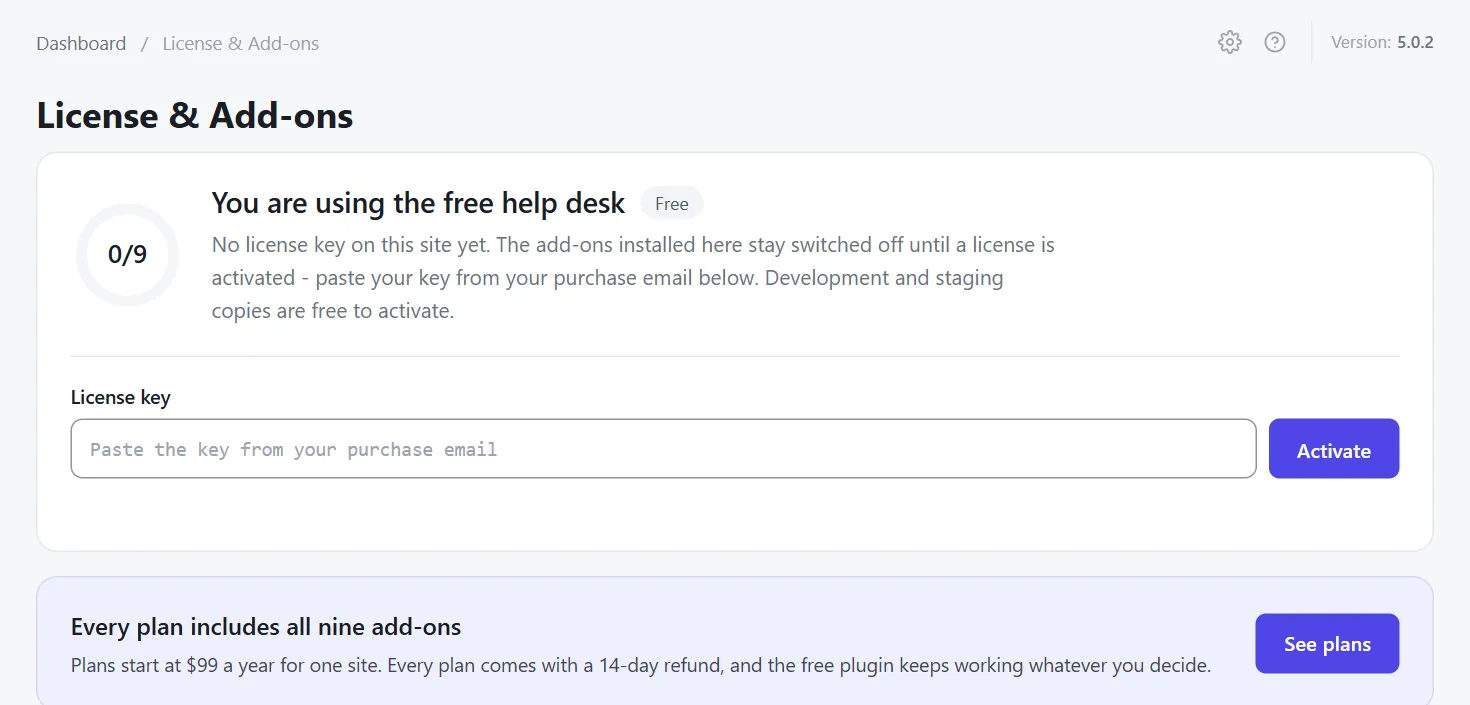
Section titled “Activating your key”- Paste the key from your purchase e-mail into License key.
- Click Activate. The site checks the key with jshelpdesk.com.
- Click Install all. Each pack is downloaded, checked and switched on, one after another.
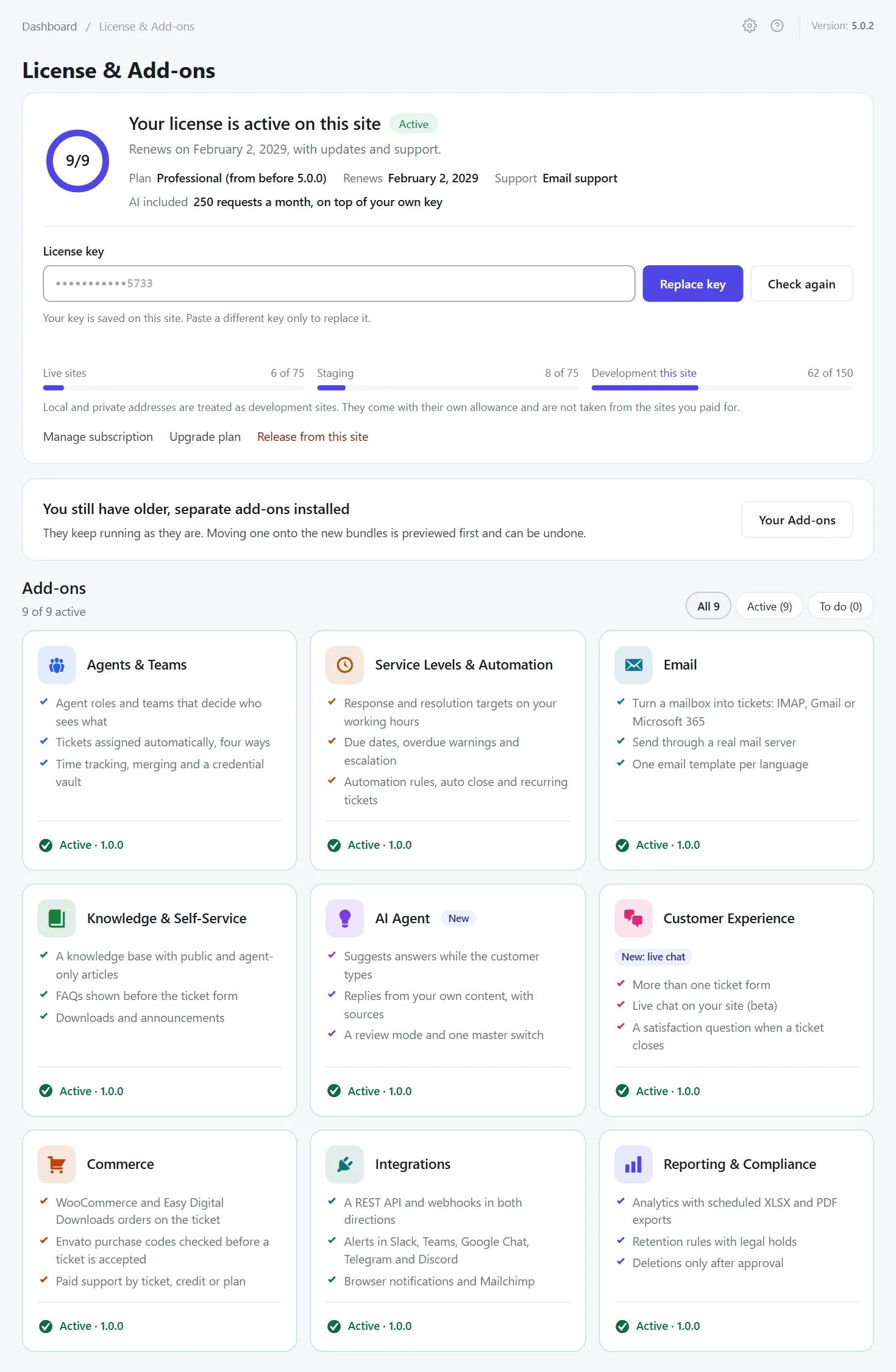
A key that is mistyped, or refused while another key is active, never replaces the working key. Once a key is saved it shows masked; paste a different key only to replace it. Check again re-checks the current one.
Your plan includes a number of live sites. Development and staging copies have their own allowance and don’t use up the sites you paid for:
- Development: local and private addresses (such as
localhost) are always treated as development. - Staging: one alongside each live site on your plan.
The bars on the screen show how many of each are in use, and which one this site is.
To move a licence to another site, click Release from this site. Nothing is deleted: the packs keep their data, and adding the key back restores everything. If every site is in use, release one from Licenses in your account on jshelpdesk.com, or move up a plan.
The pack cards
Section titled “The pack cards”Each card shows the pack’s state, for example Active · 1.0.0, Version x is ready with Update, Installed, switched off with Switch on, or Not installed with Install. Active, To do and All 9 filter the cards.
Pack updates arrive like any other plugin update, on Dashboard → Updates and the Plugins screen.
When a licence ends
Section titled “When a licence ends”Your packs keep working. Nothing is switched off or deleted when a licence expires. What stops is updates for the packs and adding the licence to new sites. A banner reminds you 30 days before the end date; inside the last 7 days it can’t be dismissed. Renew with Renew license, or from Manage subscription.
If jshelpdesk.com can’t be reached, nothing changes either: the packs carry on using the last answer.
Upgrading from version 4
Section titled “Upgrading from version 4”A licence key from JS Help Desk 4 is carried over automatically the first time an administrator opens WordPress after updating, with no need to type it. The Finish your upgrade card then installs the new packs and switches off the older, separate add-ons they replace, one step at a time.