

Scheduled jobs
Some of the help desk’s work happens on a timer, not when someone clicks:
| Job | Runs | Does |
|---|---|---|
| Update ticket status | Daily | With the Service Levels & Automation pack: closes quiet tickets and marks overdue ones. |
| Ticket via email | Every 30 minutes | With the Email pack: reads your mailboxes and turns messages into tickets and replies. Also sends satisfaction questions (Customer Experience pack). |
| Retention clean-up | Daily, weekly or monthly | Deletes old attachments and tickets, if you have set Retention. |
| Background queue | Every minute | Work handed off to run later. |
| SLA sweep | Every 5 minutes | With Service Levels & Automation: warns, marks missed targets and escalates. |
| Scheduled rules, Recurring tickets | Hourly | With Service Levels & Automation: rules that watch for silence, and tickets raised on a schedule. |
| Housekeeping | Daily | Removes expired sessions, checks the licence, updates translations. |
How they run
Section titled “How they run”By default WordPress runs them itself (WP-Cron) whenever someone visits your
site. On a quiet site, or if your wp-config.php sets DISABLE_WP_CRON, they
may run late or never. Email Health and System Status both show whether
each job is scheduled and on time.
Only the first two have an address on the Cron Job URLs screen; the others need WP-Cron to be running.
To make them reliable, have your server or a web cron service call them on a
schedule. System → Configurations → Cron Job URLs gives the address for each
job, with a Copy button and ready-made wget, curl and PHP commands.
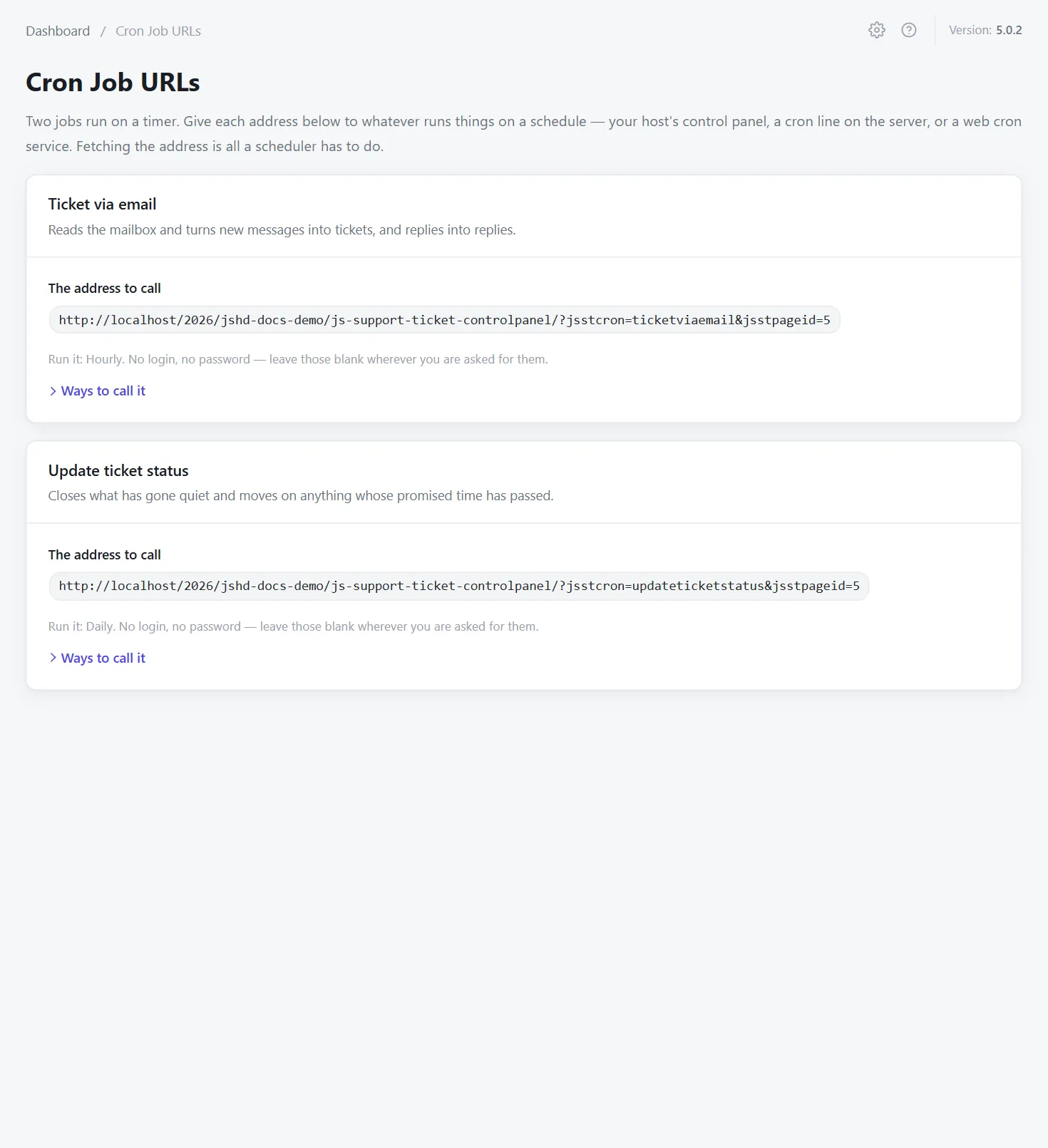
- Ticket via email: hourly is usually right.
- Update ticket status: daily.
With a web cron service, give it the address, set the timeout to 180 seconds or more, and leave the login and password empty.