

Who is notified
Help Desk → Configurations → Email Settings has a grid with one row per event and a switch for each audience: Admin, Agent and User (the customer). Enabled sends the e-mail; Disabled doesn’t.
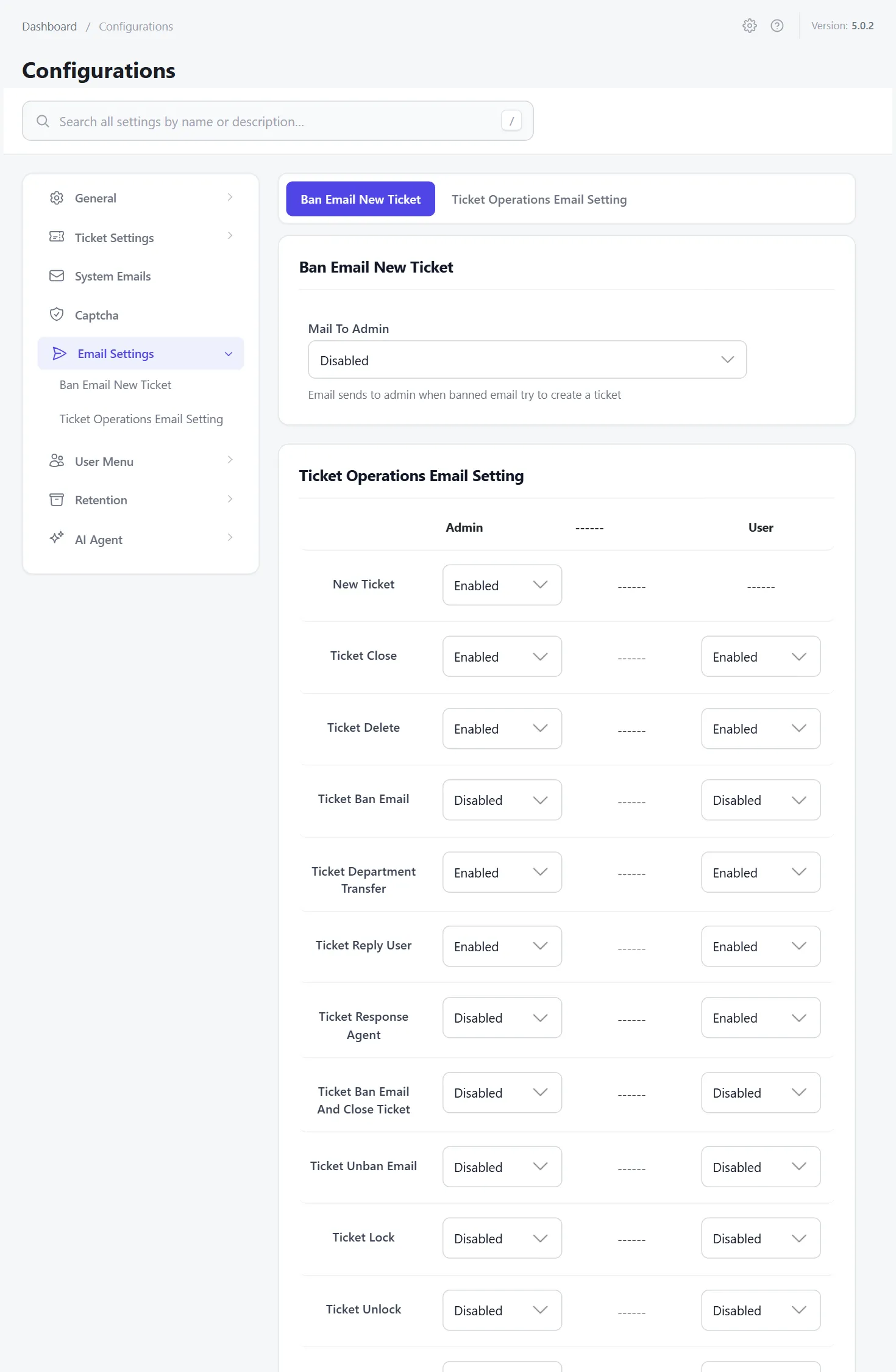
The Agent column only works with the Agents & Teams pack; without it, it shows dashes.
Defaults on a new install
Section titled “Defaults on a new install”| Event | Admin | User |
|---|---|---|
| New Ticket | Enabled | Always sent (the customer’s confirmation) |
| Ticket Reply User (the customer replied) | Enabled | Enabled |
| Ticket Response Agent (your team replied) | Disabled | Enabled |
| Ticket Close | Enabled | Enabled |
| Ticket Delete | Enabled | Enabled |
| Ticket Department Transfer | Enabled | Enabled |
| Ticket Change Priority | Enabled | Enabled |
| Mark Ticket In Progress | Disabled | Disabled |
| Ticket Lock / Ticket Unlock | Disabled | Disabled |
| Ticket Ban Email | Disabled | Disabled |
| Ticket Ban Email And Close Ticket | Disabled | Disabled |
| Ticket Unban Email | Disabled | Disabled |
A few events never send e-mail, whatever these switches say: reopening a ticket, changing the status by hand, editing a ticket and posting an internal note.
A department with Receive Email set to Yes also gets a copy of the new-ticket notification at its own address.
Changed what an e-mail says? That’s on the Email templates screen. Switching a template on or off happens here.