

GDPR and personal data
What customers can do
Section titled “What customers can do”Signed-in customers have a User Data page in the portal (the Erase User Data link, which you can hide under Portal menu).
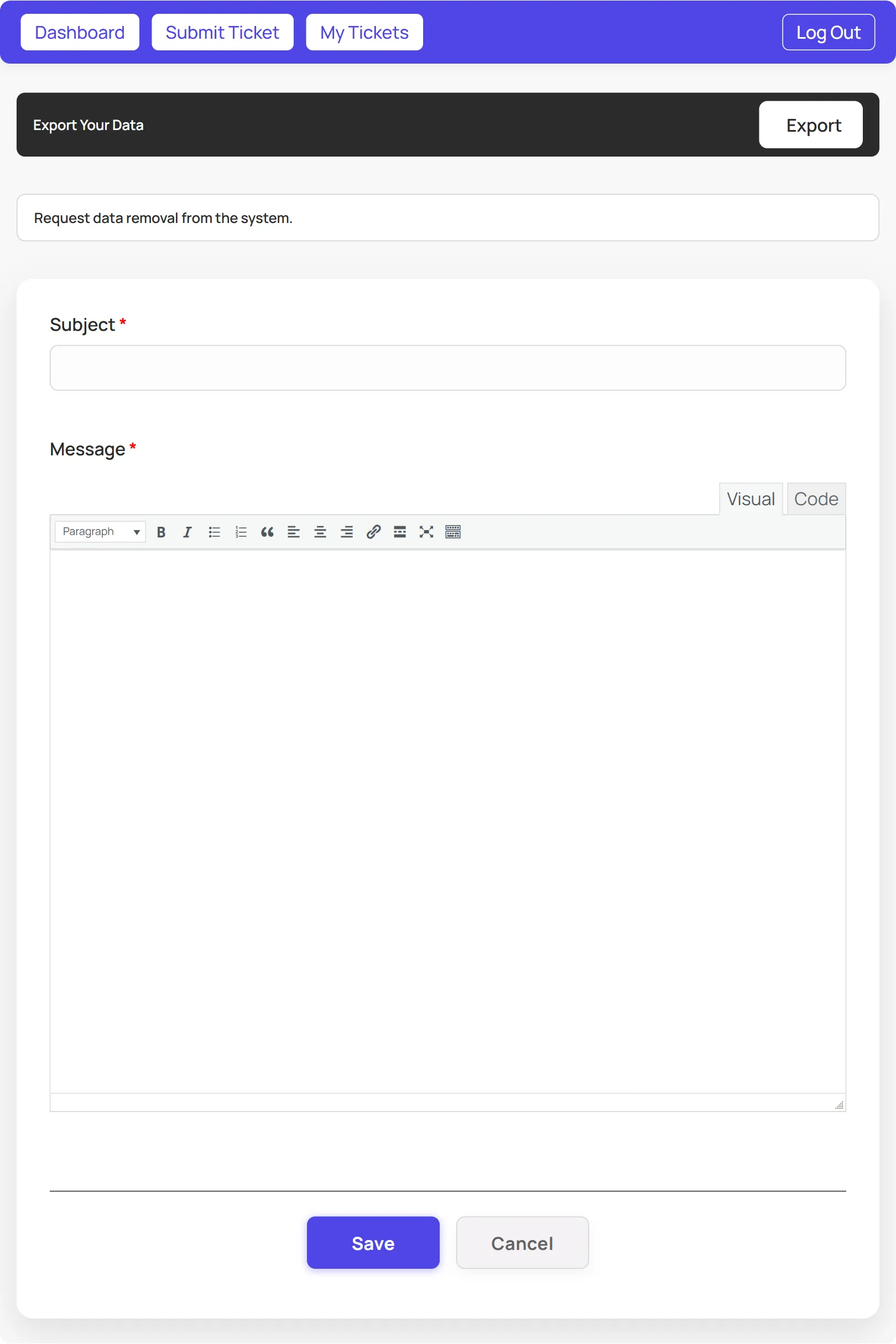
- Export Your Data downloads everything the help desk holds about them.
- Request data removal from the system sends you a request, with a subject and message. They can withdraw it afterwards.
Handling erase requests
Section titled “Handling erase requests”Requests arrive under Privacy & Security → GDPR → Erase Data Requests, with the customer’s e-mail, the request and its status: Awaiting response, Erased identifying data or Deleted. For each, choose:
| Action | What happens |
|---|---|
| Erase identifying data | Keeps the tickets for your records but blanks the customer’s e-mail address, phone, subjects, messages, replies and notes, and deletes their attachments and history. |
| Delete data | Deletes the customer’s tickets entirely, with their replies, notes and attachments. |
Either way the customer is told by e-mail. Neither can be undone.
The help desk also joins WordPress’s own privacy tools (Tools → Export Personal Data and Erase Personal Data). Requests made there include help desk tickets, found by e-mail address; erasing there blanks the details rather than deleting tickets.
Consent boxes
Section titled “Consent boxes”Privacy & Security → GDPR → GDPR Fields adds consent boxes to the registration form, for example agreeing to your privacy policy. Click Add GDPR Field and set:
| Field | |
|---|---|
| Field Title | Its name. |
| Field Text | The sentence beside the box. Wrap the linked part in [link]…[/link]. |
| Link Type | Direct Link (a URL), WordPress Page or None. |
For a consent box on the ticket form, add a Terms and Conditions question to the ticket form instead.