

Merging tickets
When a customer writes twice about the same problem, merge the tickets so one person works one conversation. A merge is not destructive: the ticket merged away is closed and linked to the one you keep, and everything on it stays where it is. It can be undone.
Who can merge: administrators, and agents with the Ticket Merge permission (see Role permissions).
Merging
Section titled “Merging”- Open one of the tickets and click Merge Ticket (or press
M). It isn’t offered on closed tickets. - The window shows this ticket’s details, then Find the other ticket: the customer’s other open tickets, two at a time (Previous and Next page through them). Narrow the list by Subject or Email and click Search.
- Choose the direction:
- Merge #A into #B (the button on a result) closes this ticket and keeps the other one open.
- The tick box on a result closes that ticket and keeps this one open. Tick several to merge them all into this ticket, then click Merge selected into this ticket.
- Read What this merge will do and What is preserved, edit the notes that will be added to each ticket if you want, and confirm with Merge.
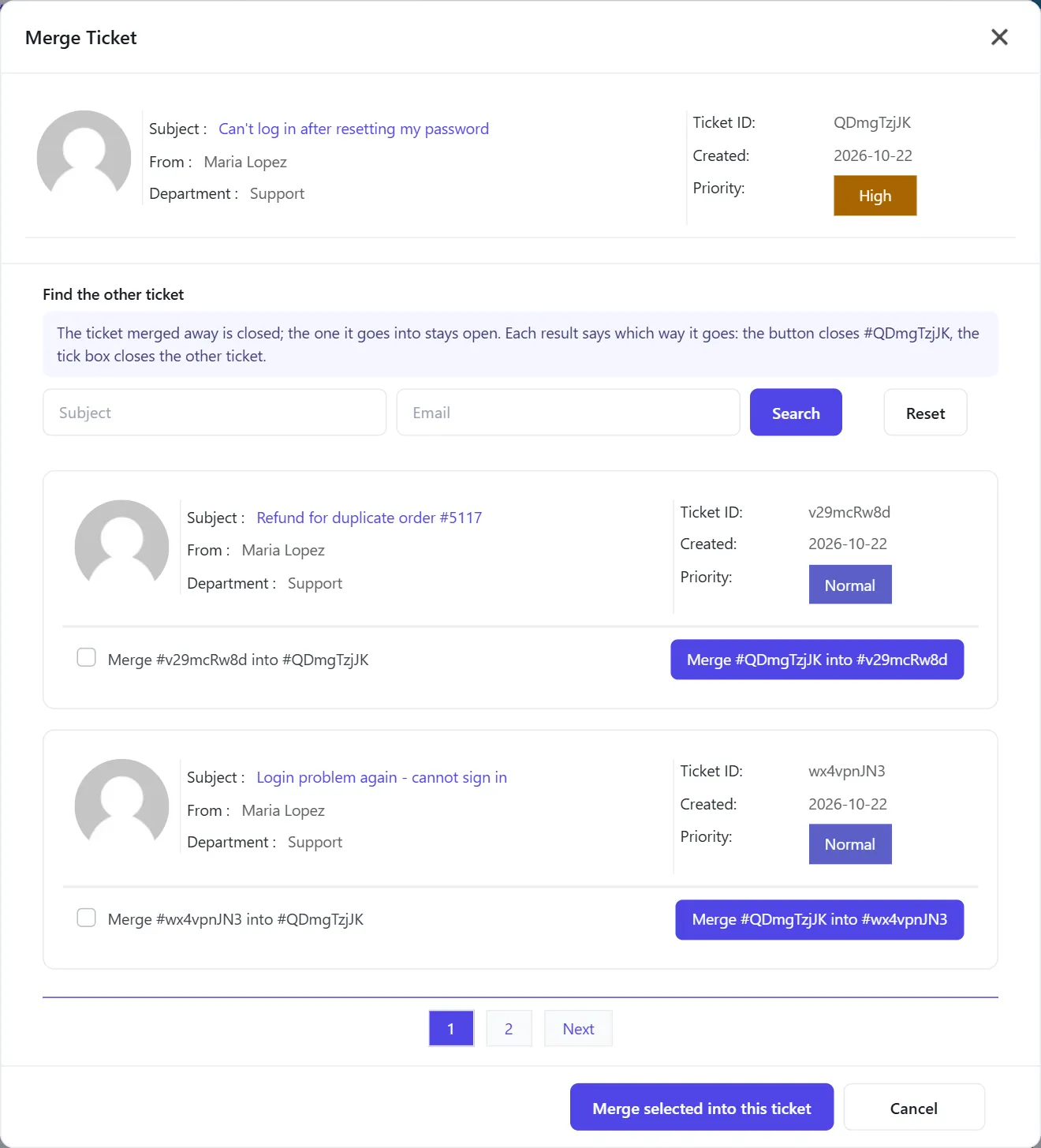
Results whose subject is close to this ticket’s, especially ones raised within a day or a week of it, are marked Likely duplicate. Only tickets from the same customer (the same account, or the same e-mail address for visitors) that are still open are offered.
What a merge does
Section titled “What a merge does”For each ticket merged away:
- It is closed with the merged status, recorded as merged into the ticket you kept, by you, at that time. It leaves every open queue.
- Its overdue flag is cleared.
- A reply is added to it, and another to the ticket you kept, each linking to the other ticket, so the customer and the next agent can follow the thread.
- The merge is recorded in both tickets’ history.
- With the Commerce pack, a support credit spent on it is given back.
Nothing is moved or deleted: every reply, attachment, custom field value and internal note stays on the ticket it was written on.
You can’t merge into a ticket that has itself been merged into another.
Separating them again
Section titled “Separating them again”The ticket you kept shows a Merged Tickets card listing each ticket merged into it, who merged it and when.
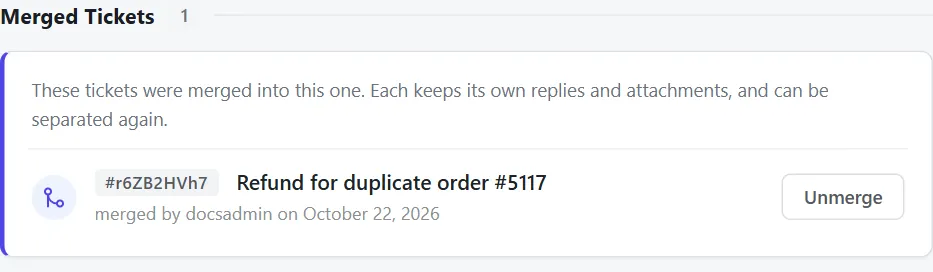
Click Unmerge beside one and confirm. The ticket reopens with the status it had before the merge (tickets merged by older versions reopen as open), its overdue flag is restored, a reply recording the separation is added to it, and it is removed from the card. With the Commerce pack, its support credit is charged again.