

Usage, cost and audit
AI is the only part of the help desk billed by use. Two screens under AI Agent → Usage & Cost account for it: Usage & Cost for money and limits, and Audit for who asked for what and who changed which switch. Both are always in the menu, even when no engine works, because that is often when you need them most.
Usage & Cost
Section titled “Usage & Cost”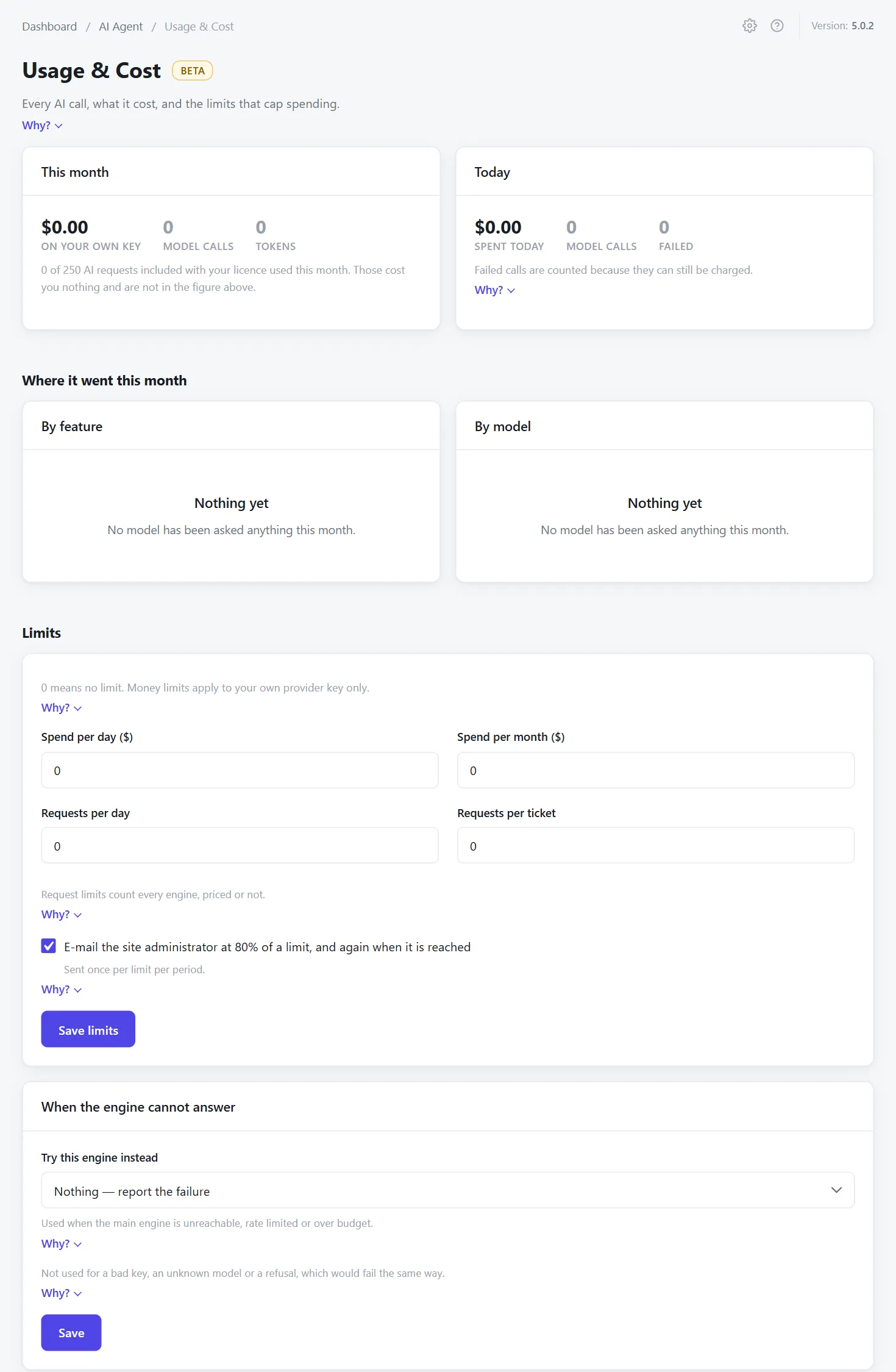
This month and Today
Section titled “This month and Today”This month shows the money spent On your own key, the number of Model calls and the Tokens used. If your licence includes AI requests, a line underneath says how many of them you have used this month. Those cost you nothing and are not in the money figure.
Today shows Spent today, Model calls and Failed. Failed calls are counted because a provider can still charge for them.
When you are close to a limit, a warning at the top is marked Nearly there (80% of the limit) or Stopped (limit reached), with a sentence saying which limit.
Who pays for each call
Section titled “Who pays for each call”| Engine | Counted as | Cost shown |
|---|---|---|
| Zywrap | Included with your licence | Nothing |
| Anthropic (your key) | Your own provider key | Tokens × the model’s price |
| Local model | Your own hardware | Nothing |
Prices
Section titled “Prices”Costs on your own key are worked out from a price per million tokens, in US dollars. The plugin ships with these:
| Model | $ per million in | $ per million out |
|---|---|---|
claude-haiku-5-5 |
0.10 | 0.50 |
claude-sonnet-5-5 |
2.00 | 10.00 |
claude-opus-5-5 |
4.00 | 20.00 |
claude-opus-5 |
5.00 | 25.00 |
claude-sonnet-5 |
2.00 | 10.00 |
claude-haiku-4-5 |
1.00 | 5.00 |
claude-3-5-sonnet |
3.00 | 15.00 |
claude-3-5-haiku |
0.80 | 4.00 |
gpt-4.1 |
2.00 | 8.00 |
gpt-4.1-mini |
0.40 | 1.60 |
gpt-4o |
2.50 | 10.00 |
gpt-4o-mini |
0.15 | 0.60 |
A model used this month that has no price appears under Models with no price, with its calls and tokens. Its calls are counted but its cost is not. Enter $ per million in and $ per million out and click Save price; from then on its calls are included.
Where it went this month
Section titled “Where it went this month”| Table | Shows |
|---|---|
| By feature | Calls and cost for each part of the product: Copilot actions in a ticket, Automatic answers, Reading new tickets (routing and mood), Drafts for an agent, Answers on the ticket form, Reply written from the ticket screen, Prompt Lab, Connection tests, Set up preview, and, with live chat, Live chat answers, Live chat summaries and Live chat translation. |
| By model | Tokens and cost per model. Not reported in place of a model name means the engine did not name its model; not reported under Tokens means it did not say how many tokens it used, which is recorded as unknown rather than as zero. no price set means no price is known. |
| Who pays for it | Calls and cost under Paid by: included with your licence, your own provider key, or your own hardware. |
| Tickets that cost the most | The tickets with the most calls and cost this month. |
Limits
Section titled “Limits”The Limits and backup engine card shows what is set: the Limits (for example “$20.00 a month · 5 requests a ticket”, or No limit set), whether E-mail warnings are on, and the Backup engine (or None). To change them, click Change in Settings, which opens Settings → Spending.
When a limit stops a call, the feature says so, for example “The daily AI budget of $5.00 has been spent.”
Usage records are kept for 400 days, then deleted automatically.
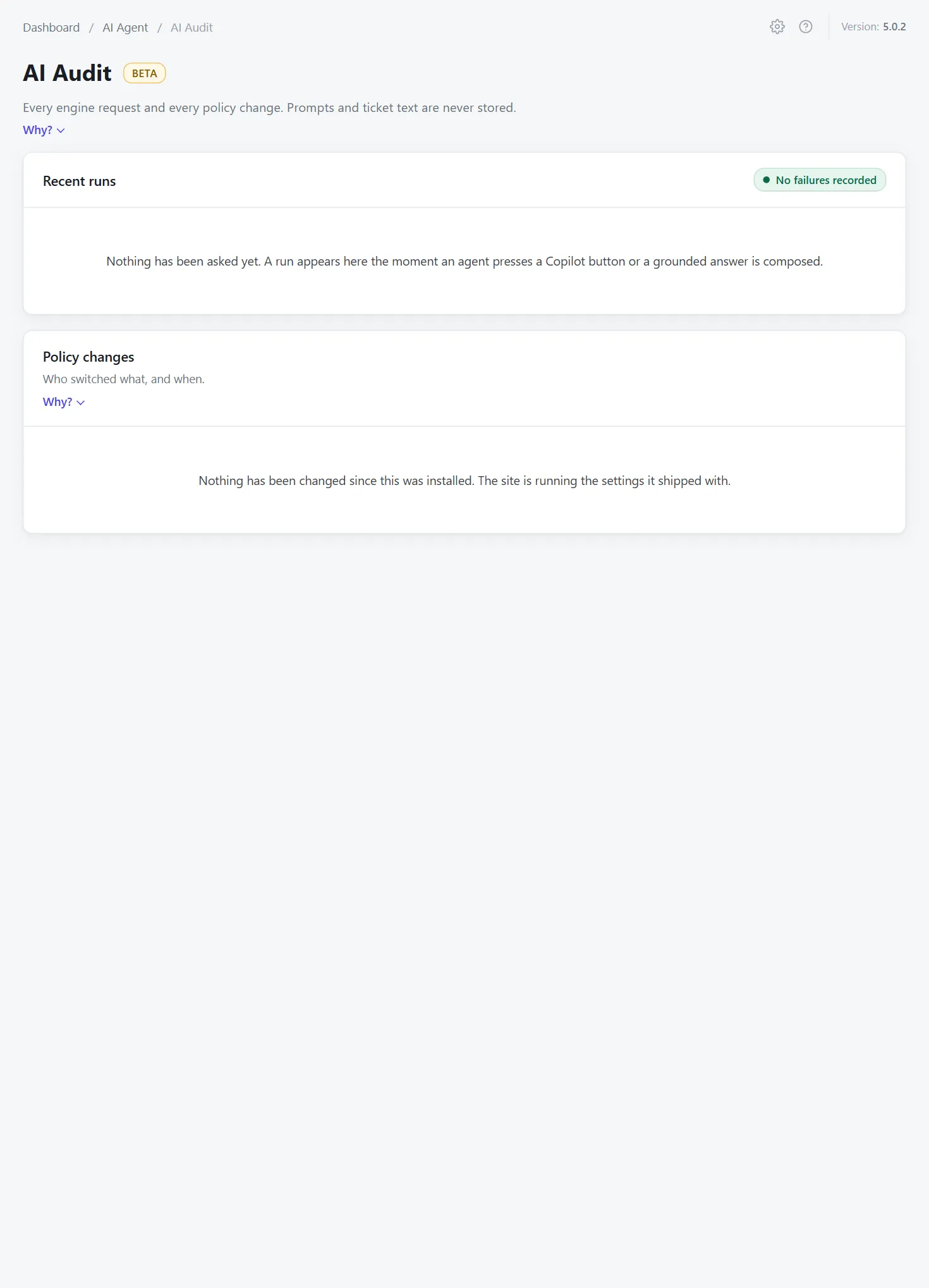
AI Agent → Usage & Cost → Audit (headed Usage & Cost: Audit) is the record of every engine request and every policy change. No prompt and no ticket text is kept: what was asked is named, not quoted.
Recent runs
Section titled “Recent runs”The latest 40 requests, with a count of failures in the heading.
| Column | Shows |
|---|---|
| When | Date and time, and the ticket (Ticket #n) if there was one. |
| Asked for | The feature, and who asked. |
| Engine | The engine used. |
| Tokens | Tokens in and out together, or a dash when the engine did not report them. |
| Took | How long the request took. |
| Result | Answered, or Failed with the error. |
Policy changes
Section titled “Policy changes”“Who switched what, and when”, newest first, up to the last 60 changes, each said in words:
- switching AI on or off, each lane, the redaction level and the answer engine;
- the approved sources, by the names used on Knowledge Sources, for example “Approved sources set to Knowledge Base, FAQs”;
- automatic answers switched on or off, paused or resumed, their rules saved, or allowed to reach customers from Set up;
- the approval mode, for example “Approvals set to “Always ask a person first”“;
- Spending limits changed.
Use it to settle “it stopped working” a week later: whoever switched AI off during an incident is named here. Changes made by a scheduled task show the system.
What stays private
Section titled “What stays private”These are the guarantees the plugin’s code makes:
- One switch stops everything. With the master switch off, nothing in the plugin talks to a model on any lane, including agent drafts and suggestions. An answer already being written is checked again before sending and held.
- On-site answers never leave your server. Searching your own content and the AI Agent button’s suggestions use no model and no network.
- A local model only sees your endpoint. Ticket text reaches the address you configured and nowhere else.
- A hosted model gets the text over HTTPS. Zywrap, or Anthropic on your own key, direct from your server.
- Stored credentials never reach a prompt. Private credentials live in their own encrypted table that no prompt is built from. Anything shaped like an API key or password typed into a ticket is masked before sending, at every redaction level, on both the local and hosted lanes. The one exception is the Zywrap Co-Pilot window on the ticket screen, which sends to Zywrap without this step (see Help for agents).
- No prompts or ticket text in the logs. Usage records hold the engine, model, feature, ticket number, user, tokens, cost, time and any error. The policy journal holds only what was switched, by whom and when.
- Customer text is not left in WordPress’s task list. A scheduled automatic answer carries only the ticket number; the ticket is read again when the task runs.
- Copilot results are for the agent. Nothing from the Copilot panel is sent to the customer unless the agent puts it in a reply and sends it.
- Automatic answers say what they are. Every one carries the disclosure, its sources and a way to reach a person.