

FAQs, downloads and announcements
Besides articles, the pack has three simpler kinds of content. Each has its own item under Help Center, a list screen and a form, and each can sit in a category that has the matching box ticked under Category For.
| Use it for | Used by the AI and the ticket form? | |
|---|---|---|
| FAQs | A question customers ask a lot, with a short answer. | Yes, when the FAQs source is approved under AI Agent → Knowledge Sources |
| Downloads | Files customers help themselves to: a manual, a driver, a form. | No |
| Announcements | What you want every customer to read before they write to you. | No |
None of the three has a review stage. Each is simply Active (shown) or Disabled (hidden).
The list screens
Section titled “The list screens”Help Center → FAQs, Help Center → Downloads and Help Center → Announcements work the same way.
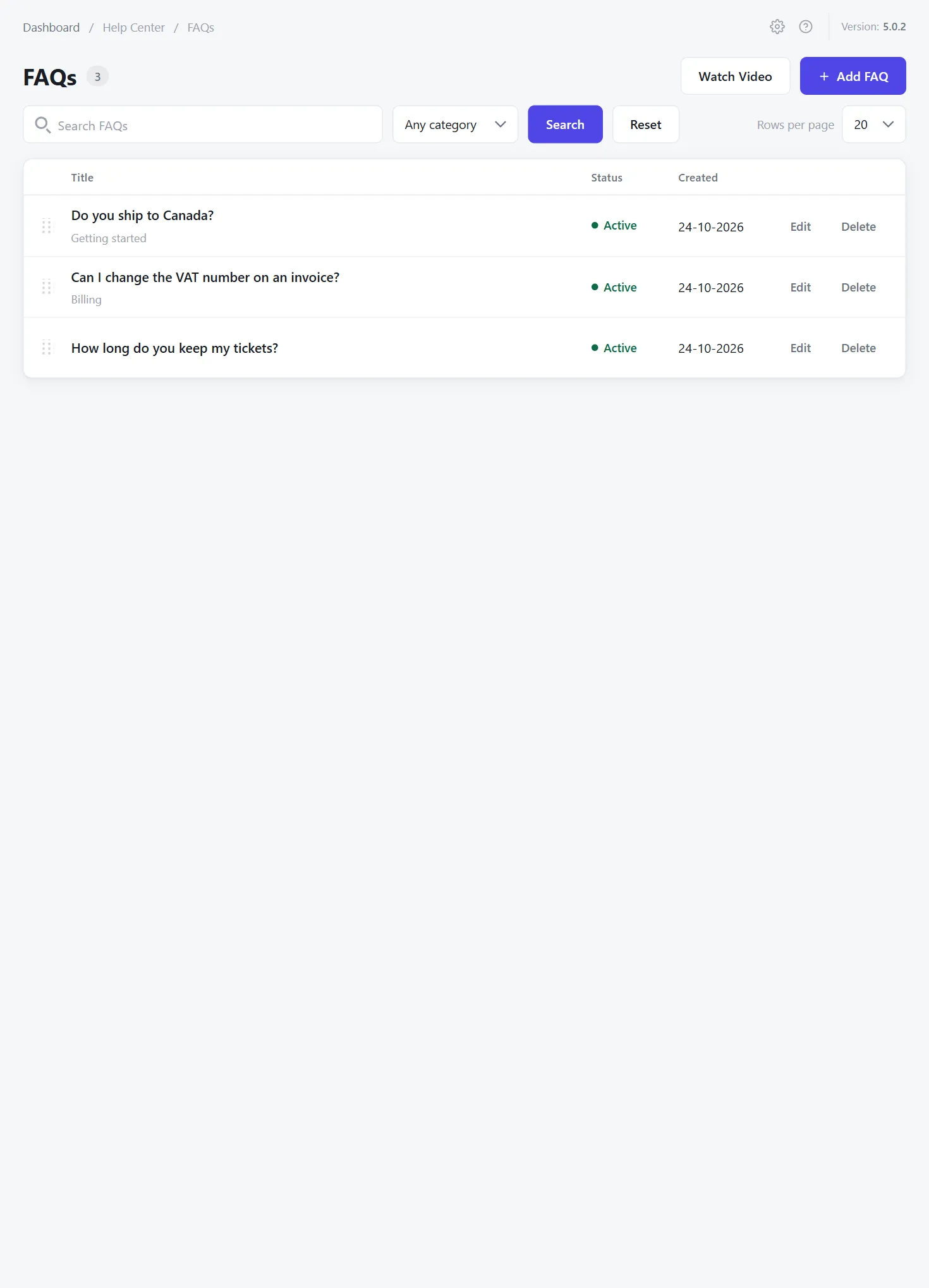
- Type in the search box (Search FAQs, Search downloads or Search announcements) to find items whose title contains what you typed, pick a category from Any category, and click Search. Reset clears both.
- Rows per page shows 20, 50 or 100.
- Click an item’s Status to switch between Active and Disabled.
- Drag a row by its handle to change the order customers see, then click Save Ordering in the bar that appears. New items go to the end.
- The downloads list also has an Attachments column.
- Delete asks you to confirm first.
Click Add FAQ. Fill in the form and click Save FAQ.
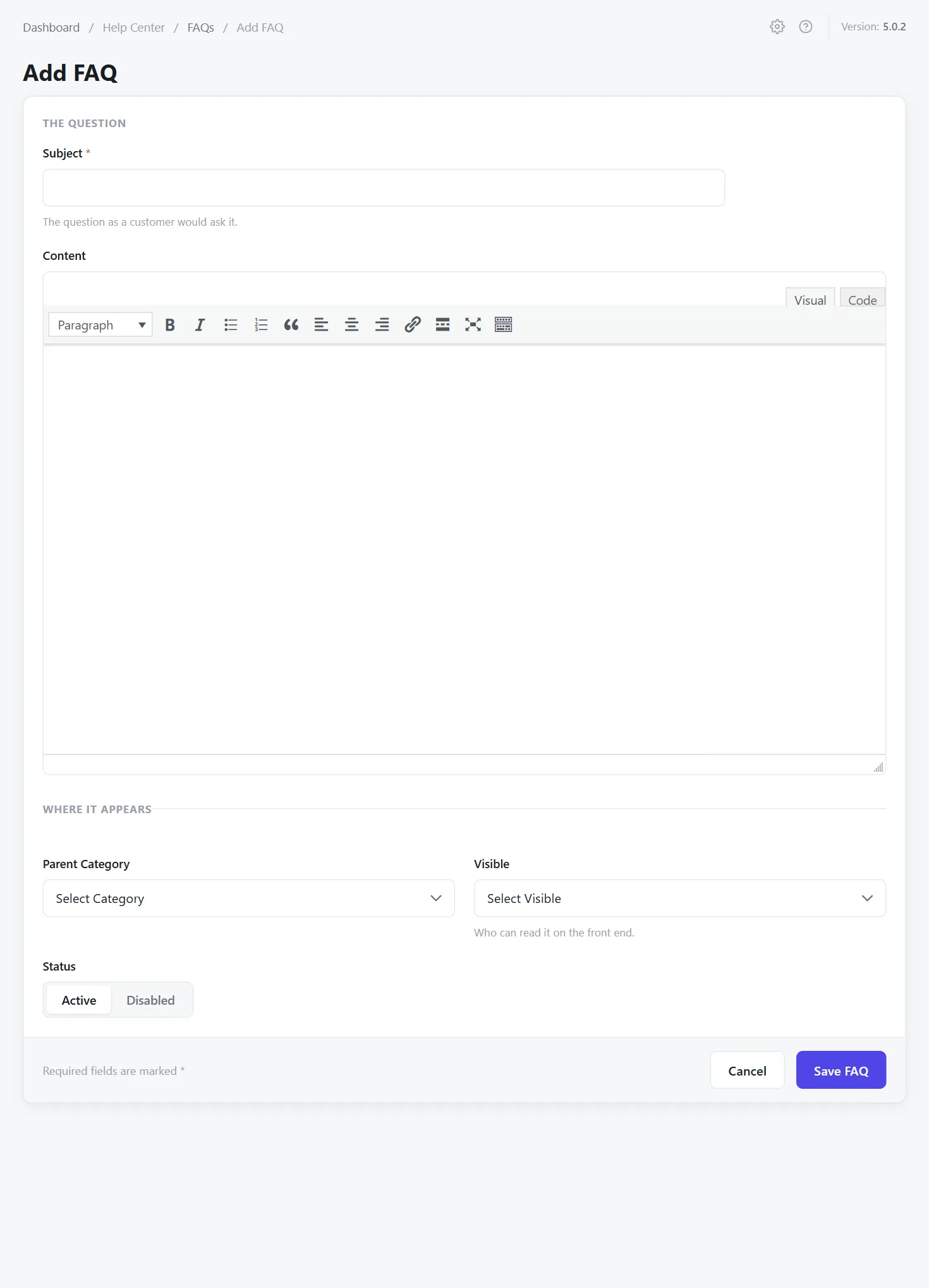
| Field | What it does | Default |
|---|---|---|
| Subject | The question, as a customer would ask it. Required. | |
| Content | The answer, in the WordPress editor. | |
| Parent Category | Which category the FAQ sits in. Despite the label, this is the FAQ’s own category. Only active categories with FAQs ticked are offered. Optional. | None |
| Visible | Logged-in User / Visitor: anyone can read it. Logged-in Users Only: a visitor who opens it is asked to log in first. | Select Visible, which works like Logged-in User / Visitor |
| Status | Active shows it in the portal; Disabled hides it. | Active |
An FAQ without a category still appears in the portal’s FAQ list.
Add it as a FAQ on AI Agent → Unanswered Questions opens this form with the subject filled in from what customers asked. See Unanswered questions.
Downloads
Section titled “Downloads”Click Add Download. Fill in the form and click Save Download.
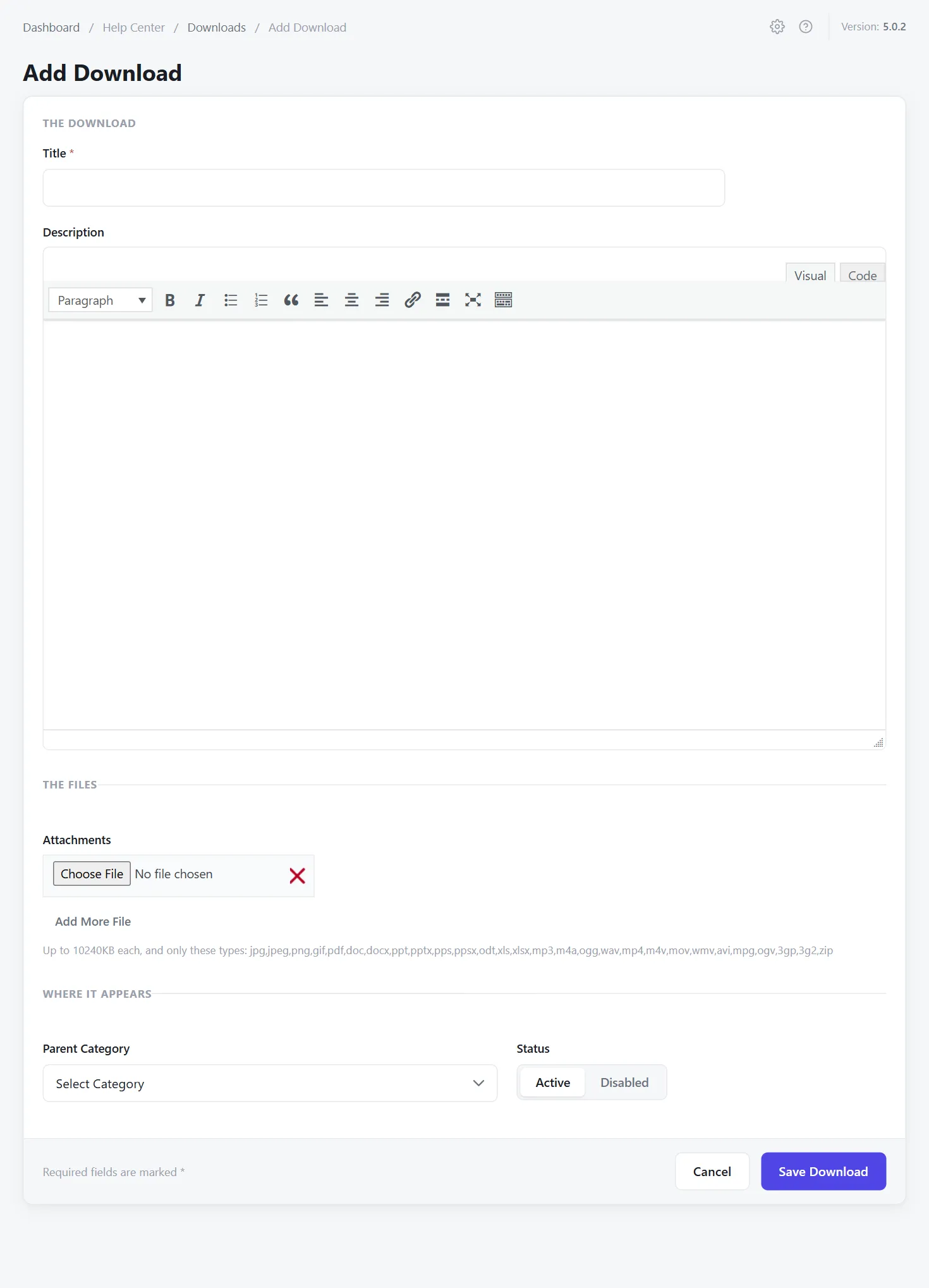
| Field | What it does | Default |
|---|---|---|
| Title | What customers see in the list. Required. | |
| Description | Shown to customers above the files when they open the download. | |
| Attachments | The files. Click Add More File for another box. Size, types and how many you can add at once come from Configurations → General → Attachments, and the form shows the limits. When editing, existing files are listed with Delete Attachment. | |
| Parent Category | Which category the download sits in. Only active categories with Downloads ticked are offered. Optional. | None |
| Status | Active shows it in the portal; Disabled hides it and stops its files being downloaded. | Active |
Downloads have no Visible setting: anyone who can reach the portal’s downloads page can fetch an active download’s files.
Announcements
Section titled “Announcements”Click Add Announcement. Fill in the form and click Save Announcement.
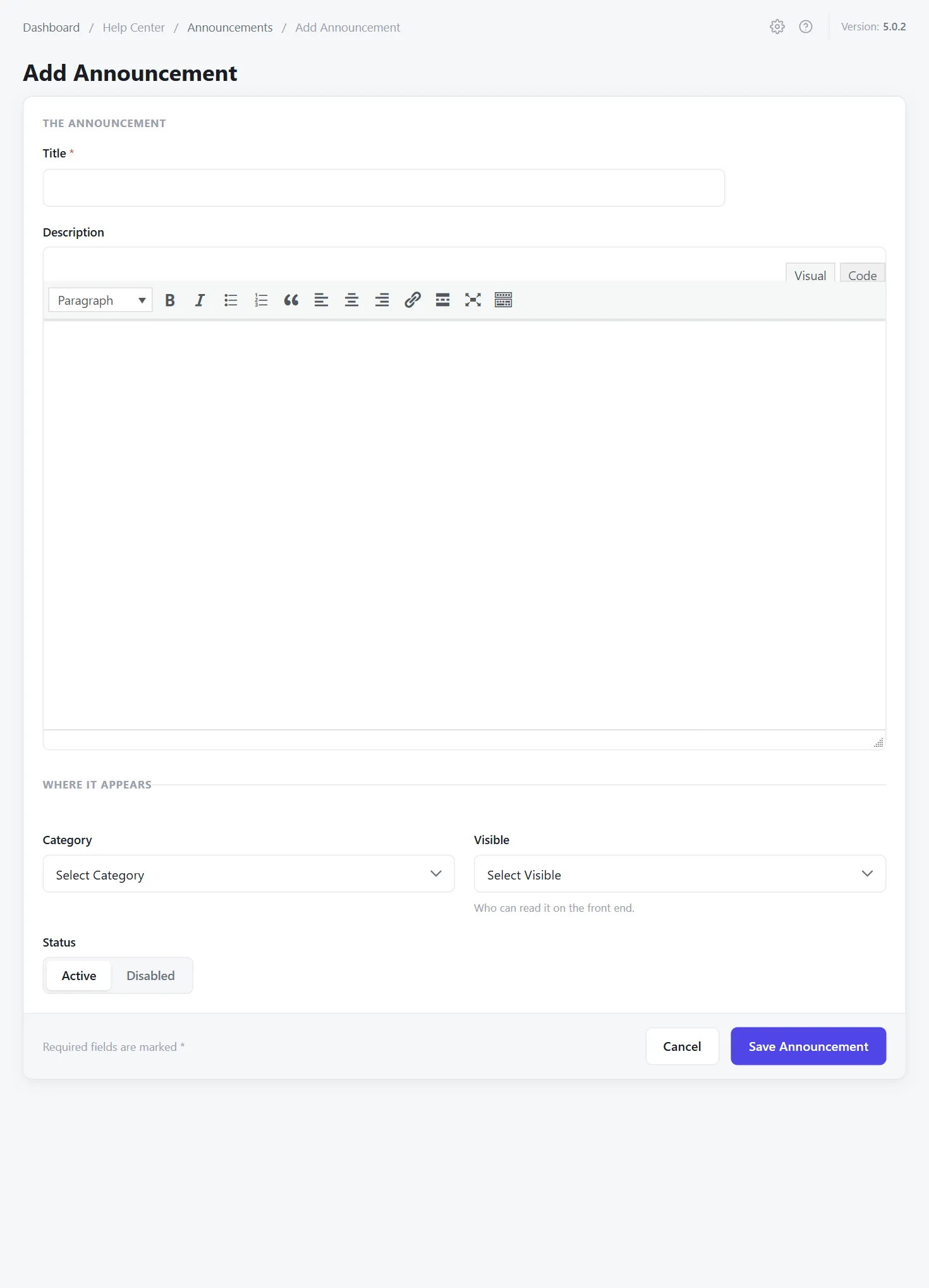
| Field | What it does | Default |
|---|---|---|
| Title | The headline. Required. | |
| Description | The announcement, in the WordPress editor. | |
| Category | Which category it sits in. Only active categories with Announcement ticked are offered. Optional. | None |
| Visible | Logged-in User / Visitor or Logged-in Users Only, as for FAQs. | Select Visible, which works like Logged-in User / Visitor |
| Status | Active shows it in the portal; Disabled hides it. | Active |
Announcements have no start or end date. Set one to Disabled when it no longer applies.
Visible, in practice
Section titled “Visible, in practice”Logged-in Users Only protects the page that shows the FAQ or announcement: a visitor who opens it sees the log-in prompt instead. The title still appears in the portal’s lists for everyone. If even the title is private, keep the item Disabled or don’t publish it.