

Security
Attachments
Section titled “Attachments”Every uploaded file is checked before it is stored:
- By name. Files that could run on your server are refused, including ones
hiding behind a second extension such as
invoice.php.png. - By content. A file containing program code is refused, whatever it is called.
- Images must really be the kind of image their name claims.
- SVG drawings containing script are refused.
On top of that, only the file types you allow under Configurations → General → File Extension are accepted, up to your size limit.
Files are kept in wp-content/uploads/jssupportticketdata/ in folders with
random names, and that folder is locked against direct access (with
.htaccess for Apache and web.config for IIS). Downloads always go through
the help desk, which checks that the person may see the ticket first. That is
what protects files on Nginx servers too.
Who can do what
Section titled “Who can do what”Everything a person can do is decided by one set of rules, which you can inspect with Permission Check. See Your team and access. Only administrators can delete tickets, change settings or see the screens under System.
Spam and abuse
Section titled “Spam and abuse”The visitor and registration forms are protected by an invisible check, and by a limit on how often one visitor can submit. See Spam protection. To block an address or a whole domain, see Banned e-mail addresses.
Ways In
Section titled “Ways In”Privacy & Security → Ways In is a report for administrators and security reviewers. It lists every way a request can reach the help desk (each AJAX action, each form handler and, with the Integrations pack, the REST API) and what guards it: login, permissions, nonces, input checks, prepared database queries, output escaping and file handling.
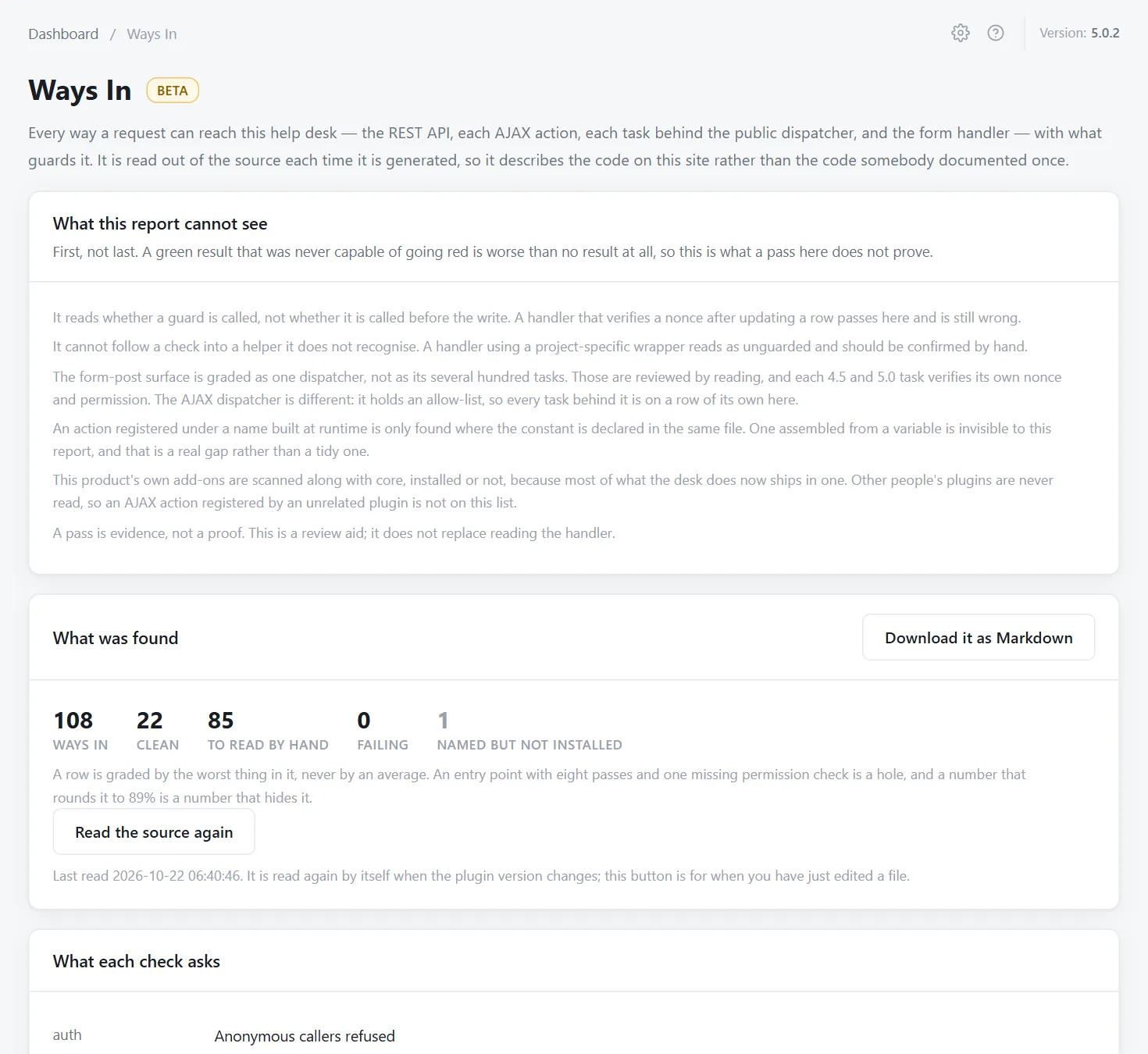
It is read straight from the plugin’s source every time, and can be downloaded as Markdown. A clean result means each check was found in place, not that the code is proven safe.